


Paket - Komfort
Smart energihantering
Optimerar automatiskt laddning och urladdning baserat på elpriser och förbrukning.
20 kWh batterikapacitet
Extra stor lagringskapacitet som räcker för mer än en hel dags elanvändning i ett normalt hushåll.
Integrerad 12 kW växelriktare
Allt-i-ett system med SAJ HS3 hybridväxelriktare - inga extra komponenter behövs.
Trygg reservkraft
Säkerställer ström till viktiga funktioner även vid oväntade elavbrott.
- Ordinarie pris
- 67,000 kr
- Nedsatt pris
- 67,000 kr
- Ordinarie pris
-
- Styck pris
- / per
Couldn't load pickup availability
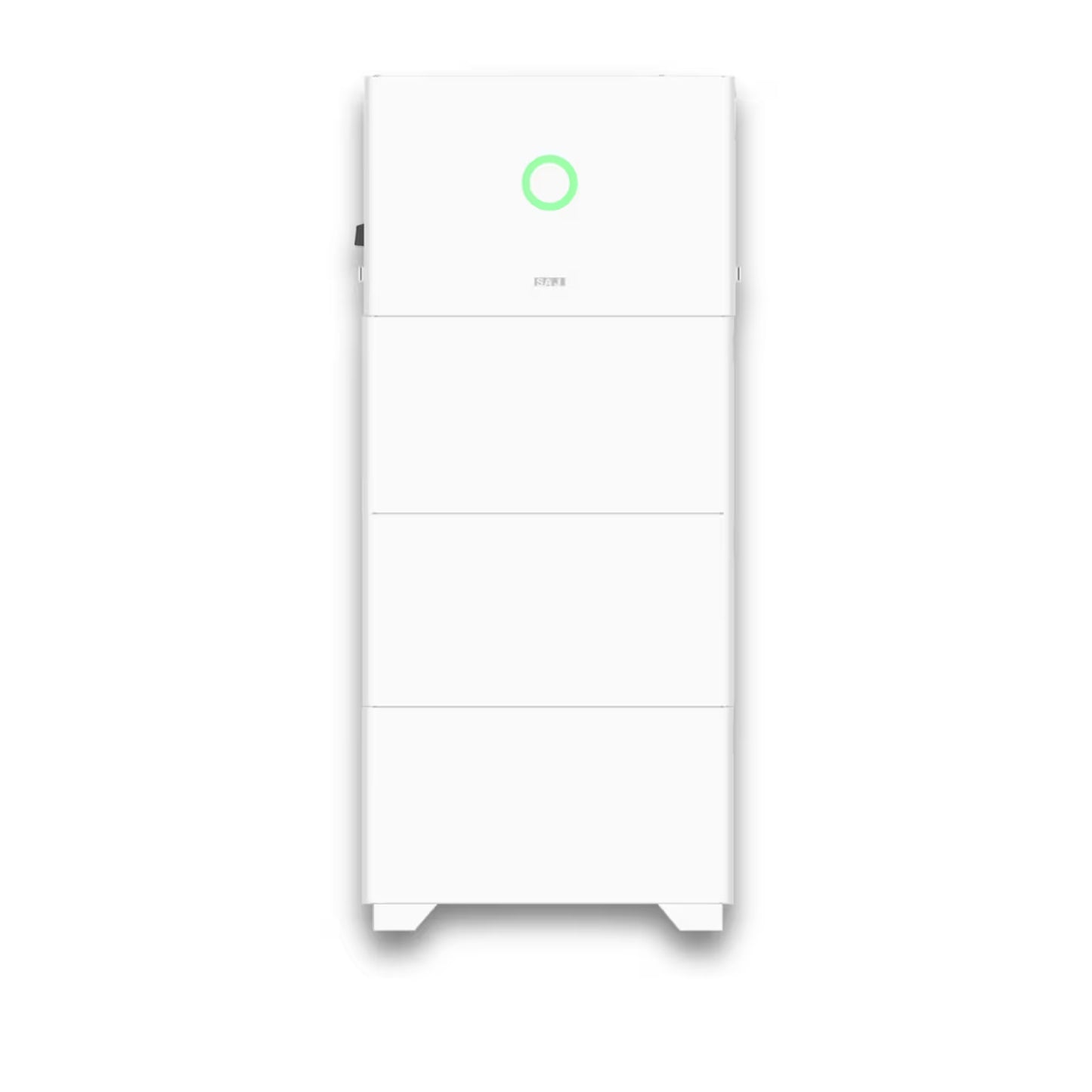
- Översikt
- Specifications
Boka konsultation
Fyll i dina uppgifter så kontaktar vi dig för en kostnadsfri rådgivning.
Beräkna din besparing
Ett mindre fritidshus eller modernt radhus i Stockholm med en solcellsanläggning som producerar cirka 6 000 kWh per år. Exemplet visar hur mycket man kan spara genom att lägga till ett 10 kWh-batteri.

Förutsättningar
Beräknad besparing
Summan ovan inkluderar endast besparingsdelarna (1–3).
Ett typiskt familjehus i Skåne med en solcellsanläggning som producerar cirka 10 000 kWh per år. Exemplet visar hur mycket man kan spara genom att lägga till ett 20 kWh-batteri.

Förutsättningar
Beräknad besparing
Summan ovan inkluderar endast besparingsdelarna (1–3).
Ett större hus med hög elförbrukning i Göteborg med en solcellsanläggning som producerar cirka 13 000 kWh per år. Exemplet visar hur mycket man kan spara genom att lägga till ett 30 kWh-batteri.

Förutsättningar
Beräknad besparing
Summan ovan inkluderar endast besparingsdelarna (1–3).
Beräkningarna baseras på genomsnittliga elpriser för 2021–2024, typisk förbrukningsdata och solcellsproduktion för respektive hustyp. SAJ HS3 finns i 10, 20 och 30 kWh med integrerad 12 kW hybridväxelriktare.
Ett hemmabatteri sparar pengar på tre sätt: 1. Ökad egenanvändning – lagra solel från dagen för kvällsanvändning istället för att sälja billigt (20 öre/kWh) och köpa tillbaka dyrt. 2. Elprisoptimering – ladda när priset är lågt (natten) och använd vid högt pris (morgon/kväll). 3. Sänkta effektavgifter – batteriet kapar effekttoppar med 12 kW leveranseffekt, begränsat till 60% av huvudsäkring och 75% genomsnittlig tillgänglighet.
Summan inkluderar endast besparingsdelarna (1–3). Eventuell intäkt från fortsatt såld el tillkommer utöver den beräknade besparingen. Vi använder konservativa antaganden: 240 produktionsdagar/år, 75% tillgänglighet för effektreduktion och historiska elpriser per prisområde (SE1–SE4).

20 kWh lagringskapacitet
Fyra 5 kWh LiFePO4-moduler med integrerad DC/DC-optimerare. Expanderbart upp till 40 kWh med upp till 8 moduler.
12 kW hybridväxelriktare
Integrerad trefas växelriktare med 98% verkningsgrad, 2 MPPT och stöd för 15 kW PV-ineffekt.
IP65 med AFCI & brandskydd
Vattentätt IP65-klassat med integrerat brandsläckningssystem och AFCI-skydd. Bara 170 mm tunt.
Självuppvärmning till -30°C
Inbyggd uppvärmning gör att systemet fungerar i extrema temperaturer – från -30°C till +50°C.
Inbyggd 11 kW elbilsladdare
Integrerad EV-laddare med 16A utgång. Ladda elbilen direkt från batteriet eller solcellerna utan extra utrustning.
Plug-in utan kablage
Modulerna kopplas direkt till varandra – inga kablar behövs. Bara 12 skruvar för hela installationen.
Wi-Fi, Ethernet & 4G
Tre kommunikationsvägar för fjärrövervakning via app. OTA-uppdateringar och smart energistyrning (EMS).
10 års garanti
SAJ HS3 levereras med 10 års standardgaranti inklusive prestationsgaranti på batterierna.
Teknisk specifikation
Teknisk data
HS3-5K-T2-W/G-P/BX | HS3-6K-T2-W/G-P/BX
HS3-8K-T2-W/G-P/BX | HS3-10K-T2-W/G-P/BX
HS3-12K-T2-W/G-P/BX
Integrated with 11kW EV charger module
Max. 20A input current to better match high power panel
Battery module integrated with a DC/DC optimiser,
expandable whenever you need
Plug-in connection of the modules without any cabling,
easy installation
Supported 100% three phase voltage imbalance
170mm thick, blend in with its surrounding
Self-heating and fire-protection system inside the battery
SAJ's latest all-in-one solution for residential energy storage system, integrated PCS, BMS, EMS, EV charger and battery, with
plug-in play design, IP65 design and only 12 screws, making the installation a lot easier. HS3 covers from 5-12kW, 2 MPPTs
and three phase grid.
HS3/AS3 Three Phase All-in-One Solution
13/14
Module
DC Input
Max. PV Array Power [Wp]@STC
Max. DC Voltage [V]
MPPT Voltage Range [V]
Rated DC Voltage [V]
Start Voltage [V]
Max. DC Input Current [A]
Max. DC Short Circuit Current [A]
No. of MPPT
AC Output/Input [On-grid]
Rated AC Power [W]
Max. Apparent Power [VA]
Rated Output Current [A]@230Vac
Max. Output Current [A]
Max. Input Current [A]@230Vac
Rated AC Voltage/Range [V]
Rated Output Frequency/Range [Hz]
Power Factor [cos φ]
Total Harmonic Distortion [THDi]
Battery Parameters
Battery Type
Battery Voltage Range[V]
Max. Charging/Discharging Current [A]
Scalability
AC Output [Back-up]
Rated Output Power [W]
Peak Output Apparent Power [VA]
Rated AC Voltage/Range [V]
Rated Output Frequency/Range [Hz]
Output THDv (@ Linear Load)
Efficiency
Max. Efficiency
Euro Efficiency
Protection
Battery Input Reverse Polarity Protection
Over load Protection
AC Short Circuit Current Protection
AC Overcurrent Protection
AC Overvoltage Protection
DC Surge Protection
AC Surge Protection
Anti-islanding Protection
AFCI Protection
Interface
PV Connection
AC Connection
Battery Connection
Display
Communication
General Parameters
Topology
Operating Temperature Range
Cooling Method
Relative Humidity Range
Max. Operating Altitude [m]
Noise [dBA]
Ingress Protection
Inverter Dimensions [H*W*D] [mm]
Battery Dimensions [H*W*D] [mm]
Inverter Weight [kg]
Battery Weight [kg]
Standard
Charger Model
Output Voltage [V AC]
Max. output Current [A]
Rated Output Power [kW]
Power Consumption (standby) [W]
Dimension [mm] [H*W*D]
Weight [kg]
Working Temperature
Ambient Humidity
EN 62109-1/2, EN 61000-6-2/4, EN 50438, EN 50549, C10/11, IEC 62116, IEC 61727, RD 1699, RD 413, UNE 206006, UNE 206007,
NTS, CEI 0-16, CEI 0-21, AS 4777.2, NBR 16149, NBR 16150 VDE-AR-N 4105, VDE 0126-1-1
HS3-5K-T2-W/G-P/BX
P:10000 B:7500
5000
5500
7.2
8.0
30/15.8
5000
7500,60s
HS3-6K-T2-W/G-P/BX
P:12000 B:9000
6000
6600
8.7
9.6
30/18.4
6000
9000,60s
HS3-8K-T2-W/G-P/BX
P/B:12000
8000
8800
11.6
12.8
30/25
8000
12000,60s
HS3-10K-T2-W/G-P/BX
P/B:15000
10000
11000***
14.5
15.9***
30/30
10000
15000,60s
HS3-12K-T2-W/G-P/BX
P/B:15000
12000*
12000*
17.4**
17.4**
30/30
12000*
15000,60s
1000
180~900
600
180
P:20/20 B:16/16
P:25/25 B:20/20
2
29.0
3L+N+PE, 220/380, 230/400, 240/415; 180~280/312~485
50, 60/45~55, 55~65
0.8 leading~0.8 lagging
<3%
LiFePO4
380~500
BU3-5.0-TV2-PRO (up to 8 battery modules)
3L+N+PE, 220/380, 230/400, 240/415; 180~280/312~485
50,60/45~55,55~65
<3%
98.0%
97.6%
Integrated
Integrated
Integrated
Integrated
Integrated
Type Ⅱ
P:Type Ⅱ B:Type III
Integrated
Integrated
MC4/D4
Plug-in connector
Quick connector
LED+APP
Wi-Fi/Ethernet/4G(Optional)
Non-isolated
P:-30℃~+50℃ B:Charging: 0℃ to 50℃ Discharging: -10℃ to +50℃
Natural Convection
0-100% Non-condensing
3000
<35
IP65
450*695*170
420*695*170
34
53.0
CU2-11K-T-I
400, ± 20%
16
11
5
160*695*170
9
-30℃ to +50℃
5–95% non-condensing
* For Ireland HS3-12K-T2-W/4G-P Rated AC Power [W] and Max.Apparent Power [VA] is 11000
** For Ireland HS3-12K-T2-W/4G-P Rated Output Current [A] @230Vac and Max. Output Current [A] is 15.9
*** For Belgium HS3-10K-T2-W/4G-P Max. Apparent Power [VA] is 10000, HS3-10K-T2-W/4G-P Max. Output Current [A] is 14.5
Notes: Meaning of letters in model numbers and data sheets: W=Wi-Fi G=4G B=Basic model P=Professional model
HS3 Series
1
HS3 Series
THREE-PHASE ALL-IN-ONE ENERGY STORAGE SYSTEM
USER MANUAL
HS3 Series
2
Preface
Thank you for choosing SAJ products. We are pleased to provide you first-class products and exceptional service.
This manual provides information about installation, operation, maintenance, troubleshooting and safety. Please follow the
instructions of this manual so that we can ensure delivery of our professional guidance and whole-hearted service.
Customer-orientation is our forever commitment. We hope this document proves to be of great assistance in your journey for a
cleaner and greener world.
We make constant improvements on the products and their documentation. This manual is subject to change without notice;
these changes will be incorporated in new editions of the publication. To access the latest documentation, visit the SAJ website
at https://www.saj-electric.com/.
Guangzhou Sanjing Electric Co., Ltd.
HS3 Series
3
TABLE OF
CONTENTS
1. SAFETY PRECAUTIONS ..................................................................................................................................................................................................................7
1.1. About this document...................................................................................................................................................................................8
1.1.1. Overview.........................................................................................................................................................................................................8
1.1.2. Target audience ............................................................................................................................................................................................8
1.2. Safety...............................................................................................................................................................................................................8
1.2.1. Safety levels...................................................................................................................................................................................................8
1.2.2. Symbol explanation.....................................................................................................................................................................................9
1.2.3. Safety instructions .................................................................................................................................................................................... 10
1.3. Safe handling.............................................................................................................................................................................................. 11
1.3.1. Inverter......................................................................................................................................................................................................... 11
1.3.2. Battery.......................................................................................................................................................................................................... 12
1.4. Emergency .................................................................................................................................................................................................. 12
2. Product Information ..................................................................................................................................................................................................................... 14
2.1. General introduction................................................................................................................................................................................. 15
2.2. Product models.......................................................................................................................................................................................... 15
2.2.1. European models ...................................................................................................................................................................................... 15
2.2.2. Thailand models ........................................................................................................................................................................................ 17
2.3. Model description ..................................................................................................................................................................................... 18
2.4. Dimension.................................................................................................................................................................................................... 19
2.4.1. Inverter......................................................................................................................................................................................................... 19
2.4.2. Battery base................................................................................................................................................................................................ 19
2.4.3. BU3 battery pack ...................................................................................................................................................................................... 20
2.4.4. BC3 battery junction box ........................................................................................................................................................................ 20
HS3 Series
4
2.4.5. CU2 EV charger.......................................................................................................................................................................................... 20
2.5. Ports, switches, and LED on the HS3 inverter................................................................................................................................... 21
2.6. LED indicators on the inverter............................................................................................................................................................... 24
2.7. Ports on the battery ................................................................................................................................................................................. 26
3. Transportation and Storage....................................................................................................................................................................................................... 28
3.1. Transportation............................................................................................................................................................................................ 29
3.2. Storage......................................................................................................................................................................................................... 29
4. Installation ....................................................................................................................................................................................................................................... 31
4.1. Precautions ................................................................................................................................................................................................. 32
4.2. Determine the installation site............................................................................................................................................................... 32
4.2.1. Installation environment requirements ............................................................................................................................................... 32
4.2.2. Installation location requirements ........................................................................................................................................................ 33
4.3. Preparing installation tools..................................................................................................................................................................... 34
4.4. Unpacking ................................................................................................................................................................................................... 35
4.4.1. Check the outer packing ......................................................................................................................................................................... 36
4.4.2. Check the package contents.................................................................................................................................................................. 36
4.5. Installation................................................................................................................................................................................................... 39
4.5.1. Plan the battery stacks ............................................................................................................................................................................ 39
4.5.2. Ground mounting manner ...................................................................................................................................................................... 40
4.5.3. Wall mounting manner............................................................................................................................................................................. 50
4.5.4. (Optional) Installation of multiple battery stacks ............................................................................................................................. 62
5. Electrical Connection ................................................................................................................................................................................................................... 64
5.1. Safety instructions .................................................................................................................................................................................... 65
5.2. Assemble the AC-side connection........................................................................................................................................................ 65
5.2.1. Open the AC-side cover .......................................................................................................................................................................... 65
5.2.2. Connect the grounding cable ................................................................................................................................................................ 66
5.2.3. (Optional) Install a SIM card................................................................................................................................................................... 68
5.2.4. (Optional) Assemble the LAN electrical connection........................................................................................................................ 69
5.2.5. Assemble the EMS electrical connection............................................................................................................................................ 70
5.2.6. Install a circuit breaker............................................................................................................................................................................. 72
HS3 Series
5
5.2.7. (Optional) Install an RCD......................................................................................................................................................................... 72
5.2.8. Connect the smart meter........................................................................................................................................................................ 72
5.2.9. Connect the grid and backup loads..................................................................................................................................................... 73
5.2.10. Assemble the communication connection .............................................................................................................................. 76
5.2.11. Close the AC-side cover................................................................................................................................................................ 82
5.3. Assemble the DC-side connection ....................................................................................................................................................... 83
5.3.1. Open the DC-side cover.......................................................................................................................................................................... 83
5.3.2. Connect the PV cables............................................................................................................................................................................. 85
5.3.3. (Optional) Connecting the battery cables between multiple stacks........................................................................................... 88
5.3.4. Close the DC-side cover.......................................................................................................................................................................... 92
5.4. System connection.................................................................................................................................................................................... 93
5.4.1. For Europe................................................................................................................................................................................................... 93
5.5. System connection diagram................................................................................................................................................................... 94
6. Startup and Shutdown ................................................................................................................................................................................................................ 96
6.1. Startup ......................................................................................................................................................................................................... 97
6.2. Shutdown .................................................................................................................................................................................................... 98
7. Commissioning................................................................................................................................................................................................................................ 99
7.1. About the elekeeper App......................................................................................................................................................................100
7.2. Download the App ..................................................................................................................................................................................100
7.3. Use the App ..............................................................................................................................................................................................100
8. System Maintenance...................................................................................................................................................................................................................101
8.1. Routine maintenance .............................................................................................................................................................................102
8.2. Troubleshooting.......................................................................................................................................................................................103
9. Product Specifications ...............................................................................................................................................................................................................109
9.1. European models ....................................................................................................................................................................................110
9.1.1. System........................................................................................................................................................................................................110
9.1.2. Battery pack .............................................................................................................................................................................................114
9.1.3. Battery junction box...............................................................................................................................................................................115
9.1.4. EV charger.................................................................................................................................................................................................115
9.2. Thailand models ......................................................................................................................................................................................118
HS3 Series
6
9.3.1. Inverter.......................................................................................................................................................................................................118
9.3.2. Battery Pack..............................................................................................................................................................................................121
9.3.3. Battery junction box...............................................................................................................................................................................122
10. Appendix ......................................................................................................................................................................................................................................123
10.1. Recycling and disposal ..........................................................................................................................................................................124
10.2. Warranty ....................................................................................................................................................................................................124
10.3. Contacting support ................................................................................................................................................................................124
10.4. Trademark..................................................................................................................................................................................................124
HS3 Series
7
1.
SAFETY
PRECAUTIONS
HS3 Series
8
1.1. About this document
1.1.1. Overview
This User Manual provides introductions and instructions of installing, operating, maintaining, and
troubleshooting of the SAJ products listed in section 2.2 "Product models".
Read the user manual carefully before any installation, operation and maintenance and follow the
instructions during installation and operation. Keep this manual all time available in case of emergency.
1.1.2. Target audience
This document is applicable to:
⚫ Installers
⚫ Users
1.2. Safety
CAUTION:
ONLY qualified and trained electricians who have read and fully understood all safety regulations
contained in this manual can install, maintain, and repair the equipment. Access to the equipment is
by the use of a tool, lock and key, or other means of security.
1.2.1. Safety levels
DANGER
Indicates a hazardous situation which, if not avoided, will result in death or serious injury.
WARNING
Indicates a hazardous situation which, if not avoided, can result in death or serious injury or moderate injury.
CAUTION
Indicates a hazardous condition which, if not avoided, can result in minor or moderate injury.
NOTICE
Indicates a situation that can result in potential damage, if not avoided.
HS3 Series
9
1.2.2. Symbol explanation
Symbol Description
Danger: Electrical shock hazard
This device is directly connected to public grid and thus all work to the battery shall only be
carried out by qualified personnel.
WARNING: No open flames
Do not place or install near flammable or explosive materials.
Danger: Hot surface
The components inside the battery will release a lot of heat during operation. Do not touch
metal plate housing during operating.
Attention: Install the product out of reach of children.
Attention: Check the user manual before service.
If an error has occurred, refer to the troubleshooting section to remedy the error.
Attention: This device shall NOT be disposed of in residential waste.
Attention: This battery module shall NOT be disposed of in residential waste.
CAUTION: Risk of electric shock from energy stored in capacitor. Do not remove cover until
5 minutes after disconnecting all sources of supply.
CE Mark
Equipment with the CE mark fulfills the requirements of the Low Voltage Directive and
Electro Magnetic Compatibility.
RoHS compliant mark
Equipment with the RoHS mark does not exceed the allowable amounts of the restricted
substances defined in Restriction of Hazardous Substances in Electrical and Electronic
Equipment.
HS3 Series
10
RCM compliant mark
Equipment with the RCM mark is in compliance with AS/NZS 4417.1 & 2 and the EESS.
Recyclable
1.2.3. Safety instructions
For safety, be sure to read all the safety instructions carefully prior to any works, and please observe the
appropriate rules and regulations of the country or region where you installed all-in-one energy storage
system.
DANGER
• Risk of fatal personnel injuries due to electrical shock and high voltage.
• Do not touch the surface of the equipment while the housing is wet, otherwise, it might cause
electrical shock.
• Do not touch the operating component of the device; it might result in burning or death.
• To prevent risk of electric shock during installation and maintenance, please make sure that all AC
and DC terminals are plugged out.
• Do not stay close to the equipment while there are severe weather conditions including storm,
lighting, etc.
• Before opening the housing, the SAJ inverter must be disconnected from the grid and PV
generator; you must wait for at least five minutes to let the energy storage capacitors completely
discharged after disconnecting from power source.
• Make sure that the system is powered off prior to any operations.
• Do not use the battery or the battery control unit if it is defective, broken or damaged.
• Do not subject the battery to any strong force.
• Do not place the battery near a heat source, such as direct sunlight, a fireplace.
• Do not expose the battery to temperatures in excess of 50°C.
• Keep inflammable and explosive dangerous items or flames away from the battery.
• Do not soak the battery in water or expose it to moisture or liquids.
• Do not use the battery in vehicles.
• Do not use the battery in areas where the ammonia content of the air exceeds 20 ppm.
HS3 Series
11
WARNING
• Any unauthorized actions including modification of product functionality of any form may cause
lethal hazard to the operator, third parties, the units or their property. SAJ is not responsible for
the loss and these warranty claims.
• Do not touch non-insulated parts or cables.
• For personal and property safety, do not short-circuit the positive (+) and negative (-) electrode
terminals.
• Disconnect the PV array from the inverter by using an external disconnection device. If no
external disconnection device is available, wait until no more DC power is applied to the inverter.
• Disconnect the AC circuit breaker, or keep it disconnect if it is tripped, and secure it against
reconnection.
• The SAJ inverter must only be operated with the PV generator. Do not connect any other source
of energy to the SAJ inverter.
• Be sure that the PV generator and inverter are well grounded in order to protect properties and
persons.
CAUTION
• Only qualified personnel who has full knowledge of local safety regulations and local standards
on battery can install, maintain, retrieve, and process this product.
• Only use the battery as intended and designed. Do not change any components in the battery.
• Risk of damage due to improper modification.
• Use professional tools when operating the products.
• The inverter will become hot during operations. Do not touch the heat sink or peripheral surface
during or shortly after operation.
NOTICE
• During installation of the battery, the circuit breaker must be disconnected from the battery pack
wiring.
1.3. Safe handling
1.3.1. Inverter
⚫ Only qualified electricians who have read and fully understood all safety regulations in this manual
can install, maintain, and repair the inverter.
⚫ When the inverter is working, do not touch the internal components or cables to avoid electric shock.
HS3 Series
12
⚫ When the inverter is working, do not plug in or out the cables.
⚫ Make sure that the AC input voltage and current are compatible with the rated voltage and current of
the inverter; otherwise, components might be damaged, or the device cannot work properly.
1.3.2. Battery
⚫ Operate and use the battery properly according to the user manual. Any attempts to modify battery
without the permission from SAJ will void the limit warranty for the battery.
⚫ The battery must be installed at a suitable location with sufficient ventilation.
⚫ For battery installation locations, especially rarely visited spaces like storerooms, attics and closets,
install smoke or multi-sensor fire detectors and interlink them with the central fire-alarm system.
⚫ Do not use the battery if it is defective, damaged, or broken.
⚫ Only use the battery with a compatible inverter.
⚫ Use batteries of the same type in an ESS. Do not mix the battery with other types of battery.
⚫ Make sure that the battery is grounded prior to use.
⚫ Do NOT pull out any cables or open the battery enclosure when the battery is powered on.
⚫ Only use the battery as intended and designed. Do not change any components in the battery.
⚫ If the user wants to expand the capacity later, it is recommended to add a cluster of batteries and use
them in parallel with the original batteries.
1.4. Emergency
Despite of its careful and professional protection design against any hazards, damage of the battery may
still possible. If a small amount of battery electrolyte is released due to a serious damage of the outer
casing; or if the battery explodes due to not being treated timely after a fire breaks out nearby, and leaks
out poisonous gases such as carbon monoxide, carbon dioxide and etc., the following actions are
recommended:
⚫ Eye contact: Rinse eyes with a large amount of running water and seek medical advice.
⚫ Contact with skin: Wash the contacted area with soap thoroughly and seek medical advice.
⚫ Inhalation: If you feel discomfort, dizziness, or vomiting, seek medical advice immediately.
⚫ Use a FM-200 or Carbon Dioxide (CO2) fire extinguishers to extinguish the fire if there is a fire in the
area where the battery pack is installed. Wear a gas mask and avoid inhaling toxic gases and harmful
substances produced by the fire.
⚫ Use an ABC fire extinguisher, if the fire is not caused by battery and not spread to it yet.
HS3 Series
13
WARNING
• If a fire has just occurred, try to disconnect the battery circuit breaker, and cut off the
power supply first, but only if you can do so without endangering yourself.
• If the battery is on fire, do not attempt to extinguish the fire but evacuate the crowd
immediately.
Potential danger of damaged battery:
⚫ Chemical Hazard:
Despite of its careful and professional protection design against any hazard results, rupture of
battery may still occur due to mechanical damage, internal pressure etc., and may result in a leakage
of battery electrolyte. The electrolyte is corrosive and flammable. When there is fire, the toxic gases
produced will cause skin and eyes irritation, and discomfort after inhalation. Therefore:
- Do not open damaged batteries.
- Do not damage the battery again (shock, fall, trample, etc.).
- Keep damaged batteries away from water (except to prevent an energy storage system from
catching fire).
- Do not expose the damaged battery to the sun to prevent internal heating of the battery.
⚫ Electrical hazard:
The reason of fire and explosion accidents in lithium batteries is battery explosion. Here are the main
factors of battery explosion:
- Short-circuit of battery. Short circuit will generate high heat inside battery, resulting in partial
electrolyte gasification, which will stretch the battery shell. The temperature reaching ignition
point of internal material will lead to explosive combustion.
- Overcharge of battery. Overcharge of battery may precipitate lithium metal. If the shell is
broken will come into direct contact with the air, resulting in combustion. The electrolyte will
be ignited at the same time, resulting in strong flame, rapid expansion of gas and explosion.
HS3 Series
14
2.
PRODUCT
INFORMATION
HS3 Series
15
2.1. General introduction
Abbreviations forms will be used throughout the documentation.
Product series Abbreviation
HS3-(3K-12K)-T2-(W, G)-(B, P) HS3 inverter
BU3-5.0-(TV1, TV2)(-PRO) BU3 battery
BC3-TV BC3 battery junction box
BE3-TV Battery base
CU2-11K-T(-I) CU2 EV charger
SAJ HS3 is a three-phase inverter which is applied to the residential photovoltaic energy storage system
which stores the electricity for household future use.
BU3 battery is built internally with a battery management system (BMS), which is used to ensure efficiency
of the BU3 battery and protect the battery from operating outside its specified limitations. Working with
an optional BC3 battery junction box, up to 8 battery packs can be used for storage expansion. Working
with an optional CU2 EV charger, it provides power to the EV charger.
SAJ BU3 battery has the detection mechanism to report the insulation fault alarm. After system startup
and commissioning, if a battery insulation error occurs, an error code <112> will be reported on the
elekeeper App.
2.2. Product models
2.2.1. European models
◼ Inverter
Model type
Communication mode
Basic model Professional model
With a built-in AIO3 module ⚫ HS3-3K-T2-W-B
⚫ HS3-4K-T2-W-B
⚫ HS3-5K-T2-W-B
⚫ HS3-6K-T2-W-B
⚫ HS3-8K-T2-W-B
⚫ HS3-10K-T2-W-B
⚫ HS3-10K-T2-W-B-BE*
⚫ HS3-12K-T2-W-B
⚫ HS3-3K-T2-W-P
⚫ HS3-4K-T2-W-P
⚫ HS3-5K-T2-W-P
⚫ HS3-6K-T2-W-P
⚫ HS3-8K-T2-W-P
⚫ HS3-10K-T2-W-P
⚫ HS3-10K-T2-W-P-BE*
⚫ HS3-12K-T2-W-P
HS3 Series
16
⚫ HS3-12K-T2-W-B-IE* ⚫ HS3-12K-T2-W-P -IE*
With a built-in 4G module ⚫ HS3-3K-T2-G-B
⚫ HS3-4K-T2-G-B
⚫ HS3-5K-T2-G-B
⚫ HS3-6K-T2-G-B
⚫ HS3-8K-T2-G-B
⚫ HS3-10K-T2-G-B
⚫ HS3-10K-T2-G-B-BE*
⚫ HS3-12K-T2-G-B
⚫ HS3-12K-T2-G-B-IE*
⚫ HS3-3K-T2-G-P
⚫ HS3-4K-T2-G-P
⚫ HS3-5K-T2-G-P
⚫ HS3-6K-T2-G-P
⚫ HS3-8K-T2-G-P
⚫ HS3-10K-T2-G-P
⚫ HS3-10K-T2-G-P-BE*
⚫ HS3-12K-T2-G-P
⚫ HS3-12K-T2-G-P-IE*
◼ Battery pack
Equipment Basic model Professional model
Battery ⚫ BU3-5.0-TV1
⚫ BU3-5.0-TV2
⚫ BU3-5.0-TV1-PRO
⚫ BU3-5.0-TV2-PRO
◼ Battery base
BE3-TV
◼ Battery junction box
BC3-TV
◼ EV charger
CU2-11K-T(-I)
⚫ Wall-mounting bracket
BT3-TV
HS3 Series
17
2.2.2. Thailand models
◼ Inverter
Model type
Communication mode
Professional model
With a built-in AIO3 module HS3-12K-T2-W-P
◼ Battery pack
Equipment Professional model
Battery BU3-5.0-TV2-PRO
◼ Battery base
BE3-TV
◼ Battery junction box
BC3-TV
⚫ Wall-mounting bracket
BT3-TV
HS3 Series
18
2.3. Model description
◼ System model
HS3 - xK - T2 - a - b X - c
◼ Inverter model
HS3 - xK - T2 - a - b - c
HS3: Product model series.
xK: Rated power. For example, 6K indicates the rated power of the inverter is 6 kW.
T2: Three phases with 2 MPPT.
a: Communication module type in this model.
W: With a built-in AIO3 module.
G: With a built-in 4G modules.
b: Basic model or professional model.
B: Basic model
P: Professional model
X: Quantity of the battery modules, ranging from 1 to 8.
c: This model is applicable to this country or region.
IE: Ireland
BE: Belgium
◼ Battery model
BU3 - 5.0 - TVx - PRO
BU3: Product model series.
5.0: The rated energy of the battery is 5.0 kWh.
TVx: TV indicates a pack-level optimizer. x indicates the battery cell manufacturer.
PRO: Professional model. If a battery model name does not contain PRO, it is a basic model.
HS3 Series
19
2.4. Dimension
2.4.1. Inverter
695 mm
450 mm
170 mm
Figure 2.1. Inverter dimension
2.4.2. Battery base
The height X can be adjusted from 75 mm to 120 mm.
655 mm
X
130 mm
131 mm
Figure 2.2. Dimension of the battery base
HS3 Series
20
2.4.3. BU3 battery pack
Figure 2.3. Dimension of the battery pack
2.4.4. BC3 battery junction box 150 mm
695 mm
170 mm
Figure 2.4. Dimension of the BC3 battery junction box
2.4.5. CU2 EV charger
170 mm
160 mm
695 mm
Figure 2.5. Dimension of the CU2 charger A
HS3 Series
21
695mm
170mm
180mm
Figure 2.6. Dimension of the CU2 charger B
2.5. Ports, switches, and LED on the HS3 inverter
Figure 2.7. Ports, switches, and LED on the inverter
HS3 Series
22
Callout Silkscreen Description
1 SIM CARD SIM card slot
Only available when a 4G module is embedded in the inverter.
2 EMS Port for connecting an Energy management system (EMS) device
Used in the paralleling scenario.
3 LAN LAN port
Only available when an AIO3 module is embedded in the inverter. It
is used by the AIO3 module for communication.
4 GRID Port for connecting to the grid utility
5 BACK-UP Port for connecting to the backup loads
6 COMM Communication port
7 / Grounding port
8 WIFI Wi-Fi antenna
9 4G 4G antenna.
Only available when a 4G module is embedded in the inverter.
10 / LED panel
11 PV1 (+, -), PV2 (+, -) PV input ports
12 BAT (+, -) BAT+ and BAT- ports
Used for parallel connection
13 BMS CAN Battery communication port
14 START Start button
15 DC SWITCH Switch for controlling the DC input
16 BATTERY SWITCH Switch for controlling battery power input and output
Table 2.1. Description of the ports, switches, and LED on the inverter
HS3 Series
23
The inverter features the blind-mate connector that connects the inverter to the battery pack, ensuring quick electrical connection and
communication between the two components. The following figure shows the ports of the blind-mate connector.
Figure 2.8. Ports of the blind-mate connector on the inverter
Callout Silkscreen Description
1 B The negative pole port of the blind-mate connector.
2 PE The protective earth (PE) port of the blind-mate connector.
3 A The positive pole port of the blind-mate connector.
4 1-12 The communication ports of the blind-mate connector.
Table 2.2. Description of the blind-mate connector on the inverter
HS3 Series
24
2.6. LED indicators on the inverter
Figure 2.9. HS3 inverter LED
LED indicator Status Description
Off The inverter is powered off.
Breathing 6s The inverter is in initialization or standby state.
Solid on The inverter is working properly.
Breathing 3s The inverter is upgrading.
Solid on The inverter is not working properly.
Integer (example, 50) Battery average SOC (for example, 50%)
-- The battery communication is lost.
BATTERY
Solid on The battery is discharging.
On 1s, off 3s The battery is charging.
On 1s, off 1s The battery is not working properly.
HS3 Series
25
Off The battery is disconnected or inactive.
GRID
Solid on The grid is connected and working properly.
On 1s, off 1s The grid is not working properly.
Off No grid is detected.
SOLAR
Solid on The PV array is working properly.
On 1s, off 1s The PV array is not working properly.
Off The PV array is not working.
BACK-UP
Solid on The AC-side load is working properly.
On 1s, off 1s The AC-side load is overloaded.
Off The AC-side load is disconnected or off.
COM
Solid on In good communication with the meter, BMS, and cloud.
On 1s, off 1s Lost communication with the meter, BMS, or cloud.
Off Lost communication with all the meter, the BMS, and cloud.
EV CHARGER
Solid on The EV charger is in standby mode and working properly.
On 1s, off 3s The EV charger is charging.
On 1s, off 1s The EV charger is not working properly.
Off The EV charger is disconnected.
Table 2.2. LED description
HS3 Series
26
2.7. Ports on the battery
Each battery features one blind-mate connector at the top and another at the bottom, ensuring quick electrical connection and
communication between the inverter and the battery or between the batteries. The following figures show the ports of the bind-mate
connectors.
Figure 2.10. Ports of the blind-mate connector at the top of the battery
HS3 Series
27
Figure 2.11. Ports of the blind-mate connector at the bottom of the battery
Callout Silkscreen Description
1 B The negative pole port of the blind-mate connector.
2 PE The protective earth (PE) port of the blind-mate connector.
3 A The positive pole port of the blind-mate connector.
4 1-12 The communication ports of the blind-mate connector.
Table 2.3. Description of the blind-mate connector on the battery
HS3 Series
28
3.
TRANSPORTATION
AND STORAGE
HS3 Series
29
3.1. Transportation
DANGER
Load or unload batteries with caution. Otherwise, the batteries may be short-circuited or damaged (such as leakage and
crack), catch fire, or explode.
⚫ Batteries have passed the test of UN38.3. This product meets the transportation requirements for
dangerous goods for lithium batteries.
⚫ The transportation service provider must be qualified to transport dangerous goods.
⚫ Before transportation, check that the battery package is intact and that there is no abnormal odor,
leakage, smoke, or sign of burning. Otherwise, the batteries must not be transported.
⚫ Keep less than 4 cartons of battery in one stack.
⚫ After the installation of the battery on site, the original packaging (contains the lithium battery
identification) should be kept. When the battery needs to be returned to the factory for repair, use
the original packing for battery transportation.
3.2. Storage
Store the device in a dry and well-ventilated environment and keep it away from heat sources.
Inverter-specific:
Storage environment requirements:
⚫ Temperature range: -40 °C to +60 °C
⚫ Relative humidity: 5% to 95% RH
⚫ Corrosion protection level: C3
Battery-specific:
⚫ Temporary storage environment requirements:
- Temperature range: -10 °C to +40 °C
- Relative humidity: 5% to 95% RH
⚫ Long-term (>3 months) storage environment requirements:
- Temperature range: -25 °C to 25 °C
- Relative humidity: < 85% RH
⚫ The battery should be installed within 6 months since delivered from the factory and used with
HS3 Series
30
compatible inverters.
NOTICE
· The battery remains 50% power when it is sent from the factory.
· The longer the battery is stored, the lower the SOC. When the battery remaining voltage
fails to reach the startup voltage requirement, the battery may be damaged.
· Close the battery breaker switch and press the main switch.
⚫ The battery cannot be disposed of as household refuse. When the service life of the battery reaches
its limit, it is not required to return it to the dealer or EIKO POWER, but it must be recycled to the
special waste lithium battery recycling station in the area.
HS3 Series
31
4.
INSTALLATION
HS3 Series
32
4.1. Precautions
For safety, be sure to read all the safety instructions carefully prior to any works and observe the
appropriate rules and regulations of the country or region where you installed the energy storage system.
DANGER
•Dangerous to life due to potential fire or electricity shock.
•Do not install the inverter near any inflammable or explosive items.
NOTICE
•This equipment meets the pollution degree.
•Inappropriate or the harmonized installation environment may jeopardize the life span of the inverter.
•Installation directly exposed under intensive sunlight is not recommended.
•The installation site must be well ventilated.
4.2. Determine the installation site
Read the following sections to cautiously determine the installation site.
The safety regulations vary in different countries and regions. Follow local safety regulations.
4.2.1. Installation environment requirements
Figure 4.1. Installation location
⚫ Do not expose the device to direct solar irradiation as this could cause power derating due to
overheating.
⚫ The installation environment must be free of inflammable or explosive materials.
⚫ The device must be installed in a place away from any heat source.
⚫ Do not install the device at a place where the temperature changes extremely.
⚫ Keep the device away from children.
⚫ Do not install the device in the bedroom, toilet, or bathroom.
⚫ When installing the device at the garage, keep it away from the driveway.
⚫ Keep the device from water sources such as taps, sewer pipes and sprinklers to prevent water
Keep away from sunlight Keep dry Keep it clear of snow Sun Rain Accmulated snow
HS3 Series
33
seepage.
⚫ Ensure the inverter is installed in a well-observed area where the LED display panel can be easily
read for real-time status checks.
4.2.2. Installation location requirements
⚫ The device employs natural convection cooling, and it can be installed indoor or outdoor.
- Indoor requirement: The battery CANNOT be installed in the habitable rooms.
- Outdoor requirement: The height of the device from the ground should be considered to
prevent the device from soaking in water. The specific height is determined by the site
environment.
⚫ Install the device vertically. Do not install it forward-tilted, horizontally or upside down.
√
× × × Figure 4.2. Installation limitations
In some restricted conditions, the allowable backward-tilted angle must not be greater than 3
HS3 Series
34
degrees, and the allowable side-tilted angle must not be greater than 2 degrees.
Max. 3°
Max. 2°
Figure 4.3. Installation angle
⚫ Choose a solid and smooth wall to ensure that the inverter can be installed securely on the wall.
Make sure that the wall can bear the weight of the inverter and accessories.
⚫ Reserve enough clearance around the inverter to ensure a good air circulation at the installation
area, especially when multiple inverters need to be installed in the same area.
30 cm
30 cm
30 cm
30 cm
Figure 4.4. Installation clearance
4.3. Preparing installation tools
The tools illustrations are for your reference. Installation tools include but are not limited to the following
HS3 Series
35
recommended ones. Use other auxiliary tools based on site requirements.
Marker Measuring tape Utility knife
Multimeter Measurement
range: 1100 V DC Wrist strap
Protective gloves Dust mask Earplugs Goggles Insulated shoes
Vacuum cleaner Heat shrink tubing Heat gun Hammer drill Drill bit: Φ10 Rubber mallet
Electric screwdriver Tool bit: M4
Phillips screwdriver Specification: M4 Wire stripper Hydraulic plier
Crimping tool Crimping range: 2.5-6 mm²
Wrenchfor MC4
terminal Wire clipper RJ45 crimping tool Flat-blade
screwdriver M2
Torx screwdriver TX30
Socket wrenches
Tubular cable crimping tool
Gradienter
Figure 4.5. Suggested installation tools
4.4. Unpacking
HS3 Series
36
4.4.1. Check the outer packing
Although SAJ’s products have thoroughly tested and checked before delivery, the products may suffer
damages during transportation.
1. Check the outer packing package for any damage, such as holes and cracks.
2. Check the equipment model.
If any serious damage is found or the model is not what you requested, do not unpack the product, and
contact your dealer as soon as possible.
4.4.2. Check the package contents
1. Verify that the shipment contains everything that you expected to receive. Contact after-sales if there
are missing or damaged components.
2. Place the accessories separately after unpacking to avoid confusion for connection of cables.
Contents in your shipment are order-dependent. Not all packages listed below may be in your shipment.
◼ Inverter
Inverter
24-pin communication cable
connector
Insulated terminals x22 PV connector x4
1Backup load connector (blue) kit 1 Grid connector (black) kit Communication cable kit 2 Meter kit
3 Printed documents
1 In some configurations, the grid and backup load connector kits might be different.
HS3 Series
37
Backup connector (gray)
kit Grid connector (black) kit
2 The meter kit contains the following items:
Smart meter
Communication cable with an
RJ45 connector
Current transformer x3
(optional)
3 The printed documents include a warranty card, a Quick Guide, and a Configuration Instructions.
◼ BE3-TV battery base
Battery base Bumper feet x 4 Cardboard M5*14 screw x2
M4*12 screw x2 Grounding plate
◼ BU3 battery pack
HS3 Series
38
Battery module Locking bracket x2 M6*80 expansion tube x2
M6*50 screw x2
Gasket x2
M5*14 screw x4 M4*12 screw x2 Grounding plate
◼ BT3-TV wall-mounting bracket
This is an optional package, depending on your system configuration.
Mounting bracket M12*100 expansion bolt x6 M5*14 screw x2
◼ BC3-TV battery junction box
This is an optional package, depending on your system configuration.
Battery junction box Communication cable
Positive cable
Negative cable
M4*12 screw
◼ CU2 EV charger (optional)
Charger B Holster M4*32 screw x4 Expansion tube x4
HS3 Series
39
M5*14 screw x2 M4*12 screw x2 Grounding plate
4.5. Installation
4.5.1. Plan the battery stacks
Quantity of battery stack
One inverter supports up to eight batteries.
For ground-mounting, a maximum of four batteries can be installed in one stack.
For wall-mounting, a maximum of three batteries can be installed in one stack.
Besides the four or three batteries installed in the same stack as the inverter, the other batteries in each
stack must be installed with a battery junction box (BC3-TV)
Distance between battery stacks
For the installation distance between two battery stacks, make sure that the power and communication
cables between two battery stacks are within 5 meters to ensure optimum performance of the system.
The cables delivered in the product package are of 2 meters. When longer cable connections are required,
prepare the battery power and communication cables as follows:
The power and communication cables are of the same length.
For the communication cables, use the standard network cables.
For the power cables, comply with the following specifications:
Conductor cross-sectional
area (mm²)
Outer diameter (mm) Conductor material Terminal
6-10 6-8
Copper wire (600VDC,
working temperature ≤105 °C)
VP-D4B-CHDM8B
HS3 Series
40
4.5.2. Ground mounting manner
Before you start
Make sure that the ground is flat and has no inclination.
In situations like uneven ground, install the bumper feet beneath the battery base to adjust the battery
base horizontally.
Procedure
Step 1. Install the battery base.
a. Place the battery base on the ground horizontally.
⚫ Recommend using a gradienter.
⚫ The space between the battery base and the wall surface is 50–65 mm.
b. (Optional) Install the bumper feet beneath the battery base to adjust the battery base
horizontally.
Figure 4.6. (Optional) Adjusting the battery base horizontally
c. Get the cardboard from the battery base package and position it against the wall.
HS3 Series
41
d. Align the edges (marked in blue) of the cardboard with the edges of the battery base on both
sides.
Figure 4.7. Aligning the cardboard with the battery base
e. Drill six holes (8mm in diameter and 55mm in depth) on the marked positions on the cardboard.
Install the expansion tubes into the drilled holes.
Figure 4.8. Marking and drilling holes on the wall
HS3 Series
42
Step 2. Install the batteries.
a. On the top of the first battery, use two M5*14 screws to install two locking brackets to the
mounting ears. Then place the battery onto the battery base and push it downwards.
M5*14
2.5 N·m
Figure 4.9. Installing the first battery
b. On the top of the first battery, align the locking brackets to the drilled holes and install M6*50
screws to secure the locking brackets to the wall. Then install M5*14 screws to secure the battery
to the battery base.
c. On the right side of the battery base, secure the metal grounding plate with M4*12 screws.
Note: When the battery is installed outdoors, it is suggested to remove the cardboard which is not
waterproof.
HS3 Series
43
M4*12
1.2 N·m
M6*50
5 N·m
M5*14
2.5N·m
M6*50
5 N·m
M5*14
2.5N·m
Figure 4.10. Securing the battery to the wall
d. (Optional) On the top of the second battery, use two M5*14 screws to install two locking brackets
to the mounting ears. Place this battery onto the first battery and push it downward
M5*14
2.5 N·m
Figure 4.11. Installing the second battery
e. (Optional) On the top of the second battery, align the locking brackets to the drilled holes and
install the gaskets and M6*50 screws to secure the battery to the wall.
On the left and right bottom sides of the battery, secure two batteries with an M5*14 screw.
On the right bottom side of the battery, install and secure the metal grounding plate with two 4*12
screws.
HS3 Series
44
Figure 4.12. Securing the batteries
f. (Optional) Install the third and fourth battery by taking the same steps as the second battery.
The following figure takes 4 batteries as an example.
Figure 4.13. Installing the third battery
HS3 Series
45
Step 3. (Optional) Install the EV charger.
a. Get the holster from the charger package. Install the holster onto the right side of the charger.
b. Place the charger onto the battery. Push it downwards.
c. On the left and right bottom sides, secure the charger to the battery with screws.
On the right bottom side, secure the metal grounding plate with screws.
M5*14
2.5 N·m
M4*12
1.2 N·m
Figure 4.14. Installing the charger
d. Install the holster on the wall by using three M4*32 screws.
Note: The holster is used to secure the charger cable. You can connect the cable after all
installation is completed. It is recommended that you purchase the cable from SAJ.
HS3 Series
46 M4*32
5 N·m
Figure 4.15. Installing the charger cable holster
e. (Optional) Connect the charger cable.
Notes:
⚫ It is recommended that you connect the cable after all device installation is completed.
⚫ It is recommended that you purchase the cable from SAJ.
⚫ For a long cable, you can wrap the cable on the holster.
HS3 Series
47
Figure 4.16. Connecting the charger cable
Step 4. Install the inverter.
a. (Optional) If you have installed a charger, loosen the screws on the inverter, and remove the
port cover, as shown below:
Figure 4.17. Removing the port cover
b. Place the inverter onto the battery or charger (if available) and push it downwards.
c. On the left and right bottom sides of the battery pack, secure the inverter to the device with
screws (battery or charger; here takes a charger as an example).
Secure the metal grounding plate with screws.
HS3 Series
48
M5*14
2.5 N·m
M4*12
1.2 N·m
Figure 4.18. Installing the inverter
Installation completion view
HS3 Series
49
Example of 4 batteries:
Inverter + charger + batteries Inverter + batteries
HS3 Series
50
4.5.3. Wall mounting manner
Before you start
Make sure that the wall can bear the weight of the inverter and accessories.
Procedure
Step 1. Install the wall-mounting bracket.
a. Place the mounting bracket onto the wall. Mark six holes. Remove the bracket.
Figure 4.19. Marking the hole positions
b. Drill six holes according to the marked positions on the wall.
Figure 4.20. Drilling holes
c. Install the mounting bracket onto the wall.
6- 16
HS3 Series
51
Figure 4.21. Installing the mounting bracket
Step 2. Install the battery base.
a. Get the cardboard from the base battery package. Place the cardboard onto the wall and
align the vertical lines on the cardboard with the bracket edges.
1:1
Figure 4.22. Aligning the cardboard with the bracket
b. Drill six holes (8mm in diameter and 55mm in depth) on the marked positions on the
cardboard. Install the provided expansion tubes into the drilled holes.
M12*100
45 N·m
HS3 Series
52
1:1
1:1
Figure 4.23. Drilling holes
c. Place and secure the battery base onto the bracket. Make sure that:
⚫ The left and right of the battery base are aligned with the vertical black lines on the
cardboard.
⚫ The battery pack is placed horizontally. (It is recommended that a gradienter be used.)
⚫ The space between the battery back and the wall surface is 50–65 mm.
M5*14
2.5 N·m
M5*14
2.5 N·m
Figure 4.24. Installing the battery base
HS3 Series
53
Step 3. Install the batteries.
a. Use two M5*14 screws to install two locking brackets to the mounting ears on the top of the
first battery. Then place the battery onto the battery base and push it downwards.
M5*14
2.5 N·m
Figure 4.25. Installing the first battery
b. On the top of the battery, align the locking brackets to the drilled holes and install M6*50
screws to secure the locking brackets to the wall. Then install M5*14 screws to secure the
battery to the battery base.
c. On the right side of the battery base, secure the metal grounding plate with M4*12 screws.
Note: When the battery is installed outdoors, it is suggested to remove the cardboard which
is not waterproof.
HS3 Series
54 M6*50
5 N·m
M6*50
5 N·m
M5*14
2.5 N·m
M5*14
2.5 N·m M4*12
1.2 N·m
Figure 4.26. Securing the battery to the wall
d. (Optional) On the top of the second battery, use two M5*14 screws to install two locking
brackets to the mounting ears. Place this battery onto the first battery and push it downwards.
M5*14
2.5 N·m
Figure 4.27. Installing the second battery
HS3 Series
55
e. (Optional) On the top of the second battery, align the locking brackets to the drilled holes
and install the gaskets and M6*50 screws to secure the battery to the wall.
On the left and right bottom sides of the battery, secure two batteries with an M5*14 screw.
On the right bottom side of the battery, install and secure the metal grounding plate with two
M4*12 screws.
Figure 4.28. Securing the batteries
HS3 Series
56
f. (Optional) Install the third battery by taking the same steps as the second battery.
M6*50
5 N·m
M6*50 5 N·m
M5*14
2.5 N·m
M5*14
2.5 N·m M4*12
1.2 N·m
Figure 4.29. Installing the third and fourth battery
Step 4. (Optional) Install the EV charger.
a. Get the holster from the charger package. Install the holster onto the right side of the charger.
b. Place the charger onto the battery. Push it downwards.
c. On the left and right bottom sides of the battery pack, install M5*14 screws to secure the
charger to the battery.
HS3 Series
57
M4*12
1.2 N·m
M5*14
2.5 N·m
Figure 4.30. Installing the charger
f. Install the holster on the wall by using three M4*32 screws.
Note: The holster is used to secure the charger cable. It is recommended that you purchase
the cable from SAJ and connect the cable after all devices are installed.
HS3 Series
58
Figure 4.31. Installing the charger cable holster
g. (Optional) Connect the charger cable.
Notes:
⚫ It is recommended that you connect the cable after all device installation is completed.
⚫ It is recommended that you purchase the cable from SAJ.
⚫ For a long cable, you can wrap the cable on the holster.
M4*32
5 N·m
HS3 Series
59
Figure 4.32. Connecting the charger cable
Step 5. Install the inverter.
a. (Optional) If you have installed a charger, loosen the screws on the inverter, and remove the
port cover, as shown below:
Figure 4.33. Removing the port cover
b. Place the inverter onto the battery or charger (if available) and push it downwards. On the
left and right bottom sides of the battery pack, install M5*14 screws to secure the inverter to
the beneath device (battery or charger; here takes a charger as an example).
HS3 Series
60
M5*14
2.5 N·m
M4*12
1.2 N·m
Figure 4.34. Installing the inverter
HS3 Series
61
Installation completion view
Example of 3 batteries:
Inverter + charger + batteries Inverter + batteries
Figure 4.35. Completion view of a single stack
HS3 Series
62
4.5.4. (Optional) Installation of multiple battery stacks
The installation of the conjunction box is similar for ground-mounting and wall-mounting
Procedure
Step 1. Place the junction box onto the battery. Push it downwards.
Step 2. Install screws on both lower sides of the junction box to secure the junction box to the last battery.
Install and secure the metal grounding plate.
M5*14
2.5 N·m
M4*12
1.2 N·m
Figure 4.36. Installing a battery junction box
HS3 Series
63
Installation completion view
Take 6 batteries as an example:
500 mm
Figure 4.37. Completion view of two battery stacks
HS3 Series
64
5.
ELECTRICAL
CONNECTION
HS3 Series
65
5.1. Safety instructions
Electrical connection must only be operated on by professional technicians. Operators must be aware that
the inverter is a bi-power supply equipment. Before connection, necessary protective equipment must be
employed by technicians including insulating gloves, insulating shoes, and safety helmet.
DANGER
•Dangerous to life due to potential fire or electricity shock.
•Do not install the inverter near any inflammable or explosive items.
•Dangerous to life due to potential fire or electricity shock.
•When it is powered on, the equipment should in conformity with national rules and regulations.
•The direct connection between the inverter and high voltage power systems must be operated by
qualified technicians in accordance with local and national power grid standards and regulations.
•The PV arrays will produce lethal high voltage when exposed to sunlight.
NOTICE
Any improper operation during cable connection can cause device damage or personal injury
5.2. Assemble the AC-side connection
5.2.1. Open the AC-side cover
Loosen the screw that locks the cover. Then, lift the cover upwards.
Figure 5.1. Opening the AC-side cover
HS3 Series
66
Figure 5.2. AC-side cover opened
5.2.2. Connect the grounding cable
About this task
This grounding cable must be connected before other electrical connection.
This inverter complies with IEC 62109-2 clause 13.9 for earth fault alarm monitoring. After system startup
and commissioning, if a grounding error occurs, the ring light on the inverter LED panel will be lit up in red
and an error code <44> can be viewed on the elekeeper App.
The cable needs to be prepared by the user. It is recommended that a 6-mm2 conductor cross-sectional
area of cable be used.
Note: The inverter cannot be used with functionally earthed PV arrays.
You can use the grounding point on either AC-side or DC side. Here takes the grounding point on the ACside as an example.
HS3 Series
67
Procedure
Step 1. Assemble the cable and OT/DT terminal.
1 2
Figure 5.3. Preparing the grounding cable
1 Heat shrink tube 2 OT/DT terminal
Step 2. Remove the M4*10 screw from the grounding port. Connect and secure the grounding cable.
Note:
The location of the grounding port is subject to the received inverter.
M4*10
1.2 N·m
M4*10
1.2 N·m
Figure 5.4. Connecting the additional grounding cable
HS3 Series
68
5.2.3. (Optional) Install a SIM card
Only the 4G model provides the SIM card slot.
Step 1. Loosen and remove the cover of the SIM card slot.
Figure 5.5. Loosening the cover on the SIM card slot
Step 2. Insert the SIM card into the slot.
Figure 5.6. Inserting the SIM card
Step 3. Install the cover back, then rotate to tighten it.
HS3 Series
69
Figure 5.7. Tightening the cover on the SIM card slot
5.2.4. (Optional) Assemble the LAN electrical connection
About this task
Only the W (Wi-Fi) model provides the LAN port.
If you choose to use Wi-Fi connection manner or has an EMS connected in the ESS, no need to connect
the LAN cable. If you choose to use Ethernet connection manner, perform as follows:
Procedure
Step 1. Remove the RJ45 cable fastener from the LAN port.
Step 2. Use a standard RJ45 cable. Insert the cable through the cable fastener as shown below. Assembly
the cable fastener.
HS3 Series
70
1.2N·m
Figure 5.8. Preparing the LAN cable
Step 3. Connect the LAN cable from the LAN port on the inverter to the router.
1.2N·m
Figure 5.9. Connecting the LAN cable
5.2.5. Assemble the EMS electrical connection
To connect an EMS to the inverter, perform as follows:
Step 1. Remove the RJ45 cable fastener from the EMS port.
Step 2. Use a standard RJ45 cable. Insert the cable through the cable fastener as shown below. Assembly
the cable fastener.
HS3 Series
71
1.2N·m
Figure 5.10. Preparing the EMS cable
Step 3. Connect the cable from the EMS port on the inverter to the LAN port on SAJ eManager (EMS).
1.2N·m
Figure 5.11. Connecting the EMS cable
HS3 Series
72
5.2.6. Install a circuit breaker
For safety operation and regulation compliance, install a 40 A or higher air circuit breaker between the
grid and the inverter.
By installing a circuit breaker, the inverter can be disconnected from the grid quickly and safely when the
leakage current detector embedded in the inverter detects that the leakage current exceeds the limitation.
Notice: In parallel scenario, do NOT connect multiple inverters to one AC circuit breaker.
5.2.7. (Optional) Install an RCD
An external residential current device (RCD) is not mandatory since the inverter is integrated with a
residential current monitoring unit (RCMU). However, if the external RCD must be installed according to
the local regulations, either type A or type B RCD can be installed with the action current 300 mA or higher.
5.2.8. Connect the smart meter
Connect the smart meter as shown in section 5.5 "System connection diagram".
A meter has been shipped with the inverter. By using this meter, many functions are available, such as the
export limitation function.
The meter specifications are as follows:
Manufacturer Zhejiang Chint Instrument & Meter Co., Ltd.
Model DTSU666
Application 3-phase
Nominal voltage 230 V
Max. current 100 A per line conductor
Class of accuracy 1
Communication type RS485
If you need to use other meters, contact SAJ for consultation.
HS3 Series
73
5.2.9. Connect the grid and backup loads
About this task
⚫ Depending on your system configuration, the grid and backup load ports on the inverter are
different. Accordingly, the grid and backup load connector kits are different in the accessory bags.
⚫ Each connector kit provides a one-hole rubber plug (in the connector body) and a five-hole rubber
plug (in the accessory bag). This task takes the one-hole rubber plug as an example. The five-hole
rubber plug is used when you choose to use five separated cables for connection.
Before you start
Select cables according to the below recommended specification:
Conductor cross-sectional area of cables Conductor material
Scope Recommended value
Copper
4–6 mm²or 12–10 AWG 6 mm²or 10 AWG
Note the required cable diameter of different rubber plugs.
Rubber plug Hole diameter
One-hole plug (in the connector by default) 14–17.5 mm
Five-hole plug (in the accessory bag) 4.0–5.5 mm
Table 5.1 Recommended AC cable specification
HS3 Series
74
Procedure:
Step 1. On the cable end, strip off the external protective layer around 35 mm and then strip off the wire
insulation around 15 mm. 35±2 mm
15±1 mm
Step 2. Insert the cables through the dustproof cover, nut, and connector body of the connector and
secure the cables to the terminal block with a spanner.
Note: The black connector is for grid connection. The blue connector is for backup load connection.
1
2
3
4
1.1N·m
2.5N·m
Figure 5.12. Preparing the cable
HS3 Series
75
Step 3. Remove the dustproof covers from the GRID and BACK UP ports.
a. Use a screwdriver to loosen the screw of the dustproof cover.
b. Pull the covers upwards.
Figure 5.13. Removing the dustproof cover
Step 4. Connect the cables to the GRID and BACKUP ports on the inverter.
HS3 Series
76
Figure 5.14. Connecting the grid and backup load cables
Step 5. Tighten the screws of the GRID and BACKUP ports on the inverter.
0.5 N·m
Figure 5.15. Securing the grid and backup load connectors
5.2.10. Assemble the communication connection
Step 1. Disassemble the communication cable connector.
HS3 Series
77
① Press the tabs on two sides of the connector terminal inwards and pull out the terminal from the
connector body.
② Rotate the nut anti-clockwise and remove it from the connector body.
③ Remove the rubber plugs out of the seals.
①
②
① ③
①
Figure 5.16. Disassembling the 24-pin communication cable connector
Step 2. Prepare cables.
⚫ Meter communication (mandatory)
Use the communication cable kit provided in the accessary bag.
Figure 5.17. Meter communication kit
HS3 Series
78
⚫ Other terminal connection (per your needs)
Prepare cables according to the following suggested specifications
Terminals Cable crosssectional area
Cable outer
diameter
Insulation offds
External protective layer Wire insulation
1-10 0.5-0.75 mm2
4.5-6.5 mm
55 mm 7.5 mm
11-20 0.2-0.5 mm2 33 mm 7.5 mm
Figure 5.18. Stripping insulation off and installing the insulated crimp terminals on the cable ends
Step 3. Insert all communication cables through the nut, seals, and connector body.
Figure 5.19. Inserting the cables through the connector
HS3 Series
79
Step 4. Locate the ports and terminals on the connection terminal block according to their silkscreens.
Connect all communication cables to the communication cable connector.
Name Number Pin definition Description
PORT (RJ45 port) / 1: CAN-H
(with a 120 Ω resistor)
For parallel connection
scenario
2: CAN-L
3: GND_W
4: SYN
5: GND_W
6: HOST
7: GND_W
8: TRF
DRMs (RJ45 port) / 1: DRM1/5 For RCR
2: DRM2/6 For RCR
3: DRM3/7 For RCR
4: DRM4/8 For RCR
5: REF D/0 /
6: COM D/0 /
7: NC /
8: NC /
Terminals 4 DO1+ Dry contact output 1
5 DO1- Dry contact output 1
6 DO2+ Dry contact output 2
7 DO2- Dry contact output 2
11 RS485-A
(with a 120 Ω resistor)
For external RS485
communication
12 RS485-B
13 MET-A
(with a 120 Ω resistor)
For meter communication
14 MET-B
15 DI1+ Dry contact input 1
16 DI1- Dry contact input 1
17 DI2+ Dry contact input 2
18 DI2- Dry contact input 2
19 CAN_H
(with a 120 Ω resistor)
For external CAN
communication
20 CAN_L
Table 5.1. Ports and terminals on the connection terminal block
HS3 Series
80
Step 5. Connect and secure the cables to the connection terminal block. Then, assemble the
communication cable connector.
① Connect cables to corresponding terminals and RJ45 ports based on your needs.
② Use a screwdriver to secure the cables connected to the terminals.
Note: If any terminal that has been equipped with a 120 Ω resistor, such as METER-A, needs to
be connected by a cable with the length longer than 20 meters, switch the resistor to ON status.
③ Insert the connection terminal block back to the connector body until you hear a click sound.
④ Insert the seals and nut back to the connector body.
⑤ Rotate the nut clockwise until it is secured to the connector body.
①
③
②
④
⑤
Click
1.2N·m
2.5N·m
Figure 5.20. Assembling the connector
HS3 Series
81
Step 6. Connect the assembled communication terminal connector to the COMM port on the inverter.
Figure 5.21. Connecting the connector to the inverter
Step 7. Connect the other end of the cables to external devices.
Meter connection:
a. Take the communication cable A and smart meter out of the meter kit. For details, refer to the
inverter package in section 4.4.2 "Check the package contents".
b. Connect and secure the RJ45 connector of cable A to the RJ45 port of cable B.
c. Connect the two crimped cable ends of cable A to ports 24 and 25 on the meter. For detailed
meter connection, refer to section 5.5 "System connection diagram".
Figure 5.22. Assembling the meter connection
HS3 Series
82
Callout Description RJ45 pin definition
A Communication cable with an RJ45 connector in
the meter kit.
⚫ Pin 1: A1
⚫ Pin 2: B1
⚫ Pins 3 to 8: NC
B Communication cable kit ⚫ Pin 1: For MET-A
⚫ Pin 2: For MET-B
⚫ Pins 3 to 8: NC
Table 5.2. Cables and parts used in the meter connection
5.2.11. Close the AC-side cover
Push the cover downwards. Use a screwdriver to tighten the screw to lock the cover securely.
Figure 5.23. Closing the AC-side cover
HS3 Series
83
M4*10
1.2 N·m
Figure 5.24. Securing the screw
5.3. Assemble the DC-side connection
5.3.1. Open the DC-side cover
Loosen the screw that locks the cover. Then, lift the cover upwards.
HS3 Series
84
Figure 5.25. Opening the DC-side cover
Figure 5.26. DC-side cover opened
HS3 Series
85
5.3.2. Connect the PV cables
About this task
⚫ Read the safety instructions first before operations.
DANGER
·Dangerous to life due to electric shock when live components or DC cables are touched.
·The PV panel string will produce lethal high voltage when exposed to sunlight. Touching live DC
cables results in death or lethal injures.
·DO NOT touch non-insulated parts or cables.
WARNING
·Disconnect the inverter from voltage sources.
·DO NOT disconnect DC connectors under load.
·Wear suitable personal protective equipment for all work.
⚫ The inverter cannot be used with functionally earthed PV arrays.
⚫ A positive connector and a negative connector are provided in the accessory bag.
Figure 5.27. Positive and negative PV connectors
Before you start
⚫ Make sure that the PV array is properly insulated to ground before it is connected to the inverter.
Otherwise, after the PV array is connected, an error code <31> will be reported on the App after
system startup and commissioning.
⚫ Select cables according to the below specification.
Conductor cross-sectional area of cables (mm²) Conductor material
Scope Recommended value Outdoor copper wire cable, complying
with 1000 V DC 4.0–6.0 4.0
Table 5.3. Recommended specifications of DC cable
HS3 Series
86
⚫ Connect one end of the positive cable to the positive side of the solar panels and connect one end
of the negative cable to the negative side of the solar panels.
⚫ Make sure that the DC switch on the inverter is in OFF position to avoid short circuit.
Procedure
Step 1. Use a 3-mm wide-bladed screwdriver to strip the insulation layer around 8 to 10 mm length from
one end of each cable.
Figure 5.28. Stripping the insulation
Step 2. Insert the cable ends to the sleeves. Use a crimping plier to assemble the cable ends.
Figure 5.29. Assembling the cable ends
Step 3. Insert the assembled cable ends into the blue positive and negative connectors. Gently pull the
cables backwards to ensure firm connection.
– 10 mm
HS3 Series
87
Figure 5.30. Assembling the positive and negative cables
Step 4. Tighten the lock screws on the positive and negative cable connectors.
Tightening torque: 2.9N·m
Figure 5.31. Securing the positive and negative cables
Step 5. Insert the positive and negative cable connectors into the positive and negative PV ports on the
inverter until you hear a “click” sound to ensure firm connection.
PV+
PV-
- PV+
- + PV-
+
HS3 Series
88
Figure 5.32. Connecting the PV cables
5.3.3. (Optional) Connecting the battery cables between multiple stacks
Follow this procedure to connect multiple battery stacks to one inverter.
The following figure shows the cable connection of two battery stacks connecting to the inverter:
RJ45
plug
BMS/CAN
BATBAT+
BMS/CAN
BATBAT+
BMS/CAN
BATBAT+
Figure 5.33. Connection of two battery stacks to inverter
Prerequisite
On top of the first stack, an inverter is installed; while on top of other stacks, a battery junction box has
been installed.
Procedure
Step 1. Prepare and connect the grounding cable to either side of the battery junction box.
HS3 Series
89 M4*10
1.2 N·m
Figure 5.34. Connecting the grounding cable
Step 2. Assemble the battery power cable ends.
a) Strip off the insulation of the power cable end by 8-10 mm.
Figure 5.35. Stripping off the insulation
b) Insert the cable ends to the corresponding sleeves. Use a crimping plier to assemble the cable
ends.
– 10 mm
HS3 Series
90
Figure 5.36. Inserting to the sleeves
c) Insert the assembled cable ends into the positive and negative battery connectors. Then,
gently pull the cables backwards to ensure that they are firmly connected.
Figure 5.37. Connecting the cable ends to connectors
d) Tighten the nuts on the positive and negative cable connectors.
Tightening torque: 2.9N·m
Figure 5.38. Tightening the connectors
Step 3. Remove the waterproof covers on the BAT+ and BAT- ports on the inverter and battery junction
box.
Figure 5.39. Removing waterproof covers
HS3 Series
91
Step 4. Connect the positive and negative power cables from the junction box to the inverter or the
junction box of the other B3 battery stack.
Cable From the junction box To the inverter
Positive power cable BAT+ BAT+
Negative power cable BAT- BATTable 5.1. Power cable connection between multiple stacks
Step 5. Remove the RJ45 connector plug that is installed on the BMS CAN port on the HS3 inverter. Insert
the plug into the BMS/CAN port on the battery junction box on the furthest left stack.
RJ45
plug
Figure 5.40. Installing the RJ45 plug
Step 6. Connect the communication cable from the junction box to the inverter or the junction box of the
other B3 battery stack.
Cable From the junction box To the inverter
Communication cable BMS/CAN BMS CAN
Table 5.2. Communication cable connection between multiple stacks
HS3 Series
92
Pin definitions of the BMS CAN port are as follows:
Table 5.3. BMS CAN pin definitions
5.3.4. Close the DC-side cover
Push the cover downwards. Use a screwdriver to tighten the screw to lock the cover securely.
M4*10
1.2 N·m
Figure 5.41. Closing the DC-side cover
1 NC
2 NC
3 NC
4 CANH
5 CANL
6 NC
7 NC
8 NC
BMS CAN
HS3 Series
93
5.4. System connection
5.4.1. For Europe
The system connection for the grid system without special requirements is as below:
Note: The backup PE line and earthing bar must be grounded properly. Otherwise, the backup function
may be inactive during blackout.
Figure 5.42. System connection in other countries and regions
HS3 Series
94
5.5. System connection diagram
If the length of the RS485 cable between the inverter and the meter exceeds 20 meters, connect a 120Ω
resistor to ports 24 and 25 on the meter.
⚫ One HS3
CT wire 250 A meter 100 A meter
CT-A 1, 3 13, 14
CT-B 4, 6 16, 17
CT-C 7, 9 19, 21
On-grid loads
Grid
Back-up loads
Power meter
AC breaker
AC breaker
L1
L2
L3
N
RS485
AC breaker
CT arrow points to the inverter
and on-grid loads
SET SEC
1 4 7 1 0
13 14 16 17 19 21 24 25
3 6 9 1 0
2 5 8 11 12
Meter
Hybrid inverter+battery
External 250A CT connection
SET SEC
1 4 7 1 0
13 14 16 17 19 21 24 25
3 6 9 1 0
Meter
CT arrow point s to the inverter
and on-grid loads
Meter
External 100A CT connection
SET SEC
1 4 7 1 0
13 14 16 17 19 21 24 25
3 6 9 1 0
Internal 80A CT connection
PV array
HS3 Series
95
⚫ For other scenarios, refer to Chapter 4 “System Connection: Three-phase hybrid inverter” in the Configuration Instructions.
- Multiple HS3 (parallel scenario)
- One HS3 working with a solar inverter (AC coupling scenario)
- Multiple HS3 working with a solar inverter (AC coupling + parallel scenario)
HS3 Series
96
6.
STARTUP AND
SHUTDOWN
HS3 Series
97
6.1. Startup
Step 1. Open the AC distribution box. Turn on the circuit breakers of the backup loads and grid.
Step 2. (Optional) If there are multiple battery stacks, turn on the battery switch on the right side of the
battery junction box.
Step 3. On the left side of the inverter, perform as follows:
a. Turn on DC SWITCH.
b. Turn on BATTERY SWITCH.
c. Press and hold the START button for five seconds until the LED indicator on the front panel is
on .
Figure 6.1.Switches on the left side of the inverter
Step 4. Check the LED indicator status on the inverter panel to ensure that the inverter is running properly.
Note: The LED indicator status label is on the left side of the inverter.
HS3 Series
98
6.2. Shutdown
Step 1. Open the AC distribution box. Turn off the circuit breakers of the backup loads and grid.
Step 2. On the left side of the inverter, perform as follows:
a. Turn off DC SWITCH.
b. Press and hold the START button around five seconds. Then, release the button and wait until
the LED indicator on the front panel is off .
c. Turn off BATTERY SWITCH.
HS3 Series
99
7.
COMMISSIONING
HS3 Series
100
7.1. About the elekeeper App
The elekeeper App can be used for both nearby and remote monitoring.
Depending on the communication module used, it supports Bluetooth/4G or Bluetooth/Wi-Fi to
communicate with your energy storage system (ESS).
7.2. Download the App
On your mobile phone, search for “elekeeper” in the App store and download the App.
Alternatively, you can scan the below QR code to download the App.
7.3. Use the App
To perform commissioning operations on the App, refer to the SAJ Configuration Instructions.
Note: The detailed operations on the App might vary, depending on the version you are using.
HS3 Series
101
8.
SYSTEM
MAINTENANCE
HS3 Series
102
8.1. Routine maintenance
To ensure that the system can operate properly for a long term, routine maintenance is recommended.
To purchase the routine maintenance service, contact the installer, distributor, or SAJ after-sales.
Check item Check method Maintenance interval
System
cleanliness
Check periodically whether the heat
sinks are blocked or dirty.
Once every 6 to 12 months
Cleanness of air
intake and
exhaust vents
Check periodically whether there is
dust or foreign objects at the air intake
and exhaust vents.
Detailed operations are as follows:
Power off the system and remove dust
and foreign objects. If necessary,
remove the baffle plates from the air
intake and exhaust vents for cleaning
Once every 6 to 12 months (or once
every 3 to 6 months based on the
actual dust conditions in the
environment)
Fan Check whether the fan generates
abnormal noise during operation
Detailed operations are as follows:
Remove foreign objects from the fan. If
the abnormal noise persists, replace the
fan.
Once every 6 to 12 months
System running
status
1. Check whether the inverter is
damaged or deformed.
2. Check whether the inverter
generates abnormal sound during
operation.
3. Check whether all inverter
parameters are correctly set
during operation.
Once every 6 months
Electrical
connection
1. Check whether cables are
disconnected or loose.
2. Check whether cables are
damaged, especially whether the
6 months after the first
commissioning and once every 6 to
12 months after that
HS3 Series
103
cable sheath that contacts a metal
surface is damaged.
Grounding
reliability
Check whether the PE cable is securely
connected.
6 months after the first
commissioning and once every 6 to
12 months after that
Sealing Check whether all terminals and ports
are properly sealed.
Once a year
8.2. Troubleshooting
For any errors reported as below, contact the after-sales for service support. The operations and
maintenance must be performed by authorized technicians.
The following table lists the error codes and corresponding messages:
Error code Error message
1 Master Relay Error
2 Master EEPROM Error
3 Master Temperature High Error
4 Master Temperature Low Error
5 Master Lost Communication M<->S
6 Master GFCI Device Error
7 Master DCI Device Error
8 Master Current Sensor Error
9 Master Phase1 Voltage High
10 Master Phase1 Voltage Low
11 Master Phase2 Voltage High
12 Master Phase2 Voltage Low
13 Master Phase3 Voltage High
14 Master Phase3 Voltage Low
15 Master Voltage 10Min High
16 Master OffGrid Voltage Low
17 Master Output_Shorter
18 Master Grid Frequency High
HS3 Series
104
Error code Error message
19 Master Grid Frequency Low
20 BATInputMode Error
21 Master Phase1 DCV Error
22 Master Phase2 DCV Error
23 Master Phase3 DCV Error
24 Master No Grid Error
25 DC ReverseConnect Error
26 Parallel machine CAN Com Error
27 Master GFCI Error
28 Master Phase1 DCI Error
29 Master Phase2 DCI Error
30 Master Phase3 DCI Error
31 Master ISO Error
32 Master Bus Voltage Balance Error
33 Master Bus Voltage High
34 Master Bus Voltage Low
35 Master Grid Phase Error
36 Master PV Voltage High Error
37 Master Islanding Error
38 Master HW Bus Voltage High
39 Master HW PV Current High
40 Master SelfTestFailed
41 Master HW Inv Current High
44 Master Grid NE Voltage Error
45 Master Fan1 Error
46 Master Fan2 Error
47 Master Fan3 Error
48 Master Fan4 Error
49 Lost Communication between DSP and PowerMeter
50 Lost Communication between M<->S
51 Lost Communication between inverter and Grid Meter
HS3 Series
105
Error code Error message
52 HMI EEPROM Error
53 HMI RTC Error
55 BMS Lost.Conn Warn
57 AFCI Lost Com.Err
59 Lost Communication between inverter and PV Meter
60 EV_Lost.Conn Warn
69 DCDC_Lost.Conn Warn
70 DCDC_ Device Error
78 Grid Power Emergency Disconnect
81 Lost Communication D<->C
83 Master Arc Device Error
84 Master PV Mode Error
85 Authority expires
86 DRM0 Error
87 Master Arc Error
88 Master SW PV Current High
89 Master Battery Voltage High
90 Master Battery Current High
91 Master Battery Charge Voltage High
92 Master Battery OverLoad
93 Master Battery SoftConnet TimeOut
94 Master Output OverLoad
95 Master Battery Open Circuit Error
96 Master Battery Discharge Voltage Low
97 BMS Internal Communication Error
98 Bat Sequence Error
99 Discharge Over Current Protect
100 Charge Over Current Protect
101 Module Under Voltage Protect
102 Module Over Voltage Protect
103 Single Cell Under Voltage Protect
HS3 Series
106
Error code Error message
104 Single Cell Over Voltage Protect
105 BMS Hardware Error
106 Charge Cell Under Temperature Protect
107 Charge Cell Over Temperature Protect
108 Discharge Cell Under Temperature Protect
109 Discharge Cell Over Temperature Protect
110 Relay Error
111 Pre-charge Error
112 Insulation Error
113 BMS supplier Incompatibility
114 Battery cell supplier Incompatibility
115 Battery cell Incompatibility
116 Battery pack models or grades are inconsistent
117 Circuit Breaker Is Open
118 Temperature Difference Is Too Wide
119 Voltage Difference Is Too Wide
120 Voltage Difference Is Too Wide
121 BMS Over Temperature Protect
122 Short Circuit Protect
123 Total voltage match failed
124 The system is locked
125 FUSE error protection
126 Battery Port Voltage Abnormal Protection
127 Heating Film Overtemperature Protection
128 Abnormal Temperature Increases
225 Battery Software Overvoltage Fault
226 Battery Software Undervoltage Fault
227 Battery Discharge Software Overcurrent Fault
228 Battery Charge Software Overcurrent Fault
229 Battery Discharge Overpower Fault
230 Battery Charge Overpower Fault
HS3 Series
107
Error code Error message
233 Battery Hardware Overvoltage Fault
234 Battery Hardware Overcurrent Fault
237 Battery Voltage Exceeds BMS Upper Limit Fault
238 Battery Voltage Exceeds BMS Lower Limit Fault
239 Battery Side Precharge Fault
241 Bus Voltage Overvoltage Fault
242 Bus Voltage Undervoltage Fault
243 Bus Discharge Overcurrent Fault
244 Bus Charge Overcurrent Fault
245 Bus Discharge Overpower Fault
246 Bus Charge Overpower Fault
247 Bus Hardware Overvoltage Fault
248 Bus Hardware Overcurrent Fault
249 Hardware Resonant Chamber Overcurrent Fault
250 Auxiliary Power Source Fault
251 Hardware Protection Signal Fault
252 Bus Voltage Differential Fault
253 BMS Protection Signal Fault
254 Software Resonant Chamber Overcurrent Fault
255 Soft Start Abnormal Fault
257 Heatsink High Temperature Fault
258 Heatsink Low Temperature Fault
259 PCB High Temperature Fault
260 PCB Low Temperature Fault
261 Fan Fault
262 Heating Film Fault
263 Heatsink Temperature Sensor Line Faulty
264 PCB Temperature Sensor Line Faulty
274 Inverter CAN communication failure
275 Battery pack internal CAN communication fault
276 Memory fault
HS3 Series
108
Error code Error message
278 Button failure fault
289 Relay over temperature
290 Overload
291 AC over voltage
292 AC under voltage
293 AC over current
294 AC over frequency
295 AC under frequency
296 DC residual current exception A
297 Emergency Stop
298 Under temperature
299 AC residual current
300 Input terminal over temperature
301 Bluetooth fault
302 DC residual current exception B
303 Relay exception
304 Grounding error
305 Phase twisted
306 RCD circuit exception
307 RS485 Com time out
308 Electricity exception
311 Meter fault
312 cp exception, cp lower than 2V
318 Connector lock exception
319 Connector current exception
320 DC residual current exception C
HS3 Series
109
9.
PRODUCT
SPECIFICATIONS
HS3 Series
110
NOTICE
Depending on the countries or regions, the specifications of the products might vary due to local regulations.
9.1. European models
9.1.1. System
Notes:
⚫ X is the quantity of the battery modules, ranging from 1 to 8.
⚫ B: Basic
⚫ P: Professional
Model
Parameter
HS3-3K-T2-(W,
G)-(B, P)X
HS3-4K-T2-(W,
G)-(B, P)X
HS3-5K-T2-(W,
G)-(B, P)X
HS3-6K-T2-(W,
G)-(B, P)X
HS3-8K-T2-(W, G)-
(B, P)X
HS3-10K-T2-(W, G)-
(B, P)X,
HS3-10K-T2-(W, G)-
(B, P)X-BE
HS3-12K-T2-(W, G)-
(B, P)X,
HS3-12K-T2-(W, G)-
(B, P)X-IE
DC Input
Max. PV Array Power
[Wp]@STC
⚫ B model: 3000
⚫ P model: 6000
⚫ B model:4000
⚫ P model: 8000
⚫ B model:7500
⚫ P model:
10000
⚫ B model: 9000
⚫ P model:
12000
⚫ B model: 12000
⚫ P model: 12000
⚫ B model: 15000
⚫ P model: 15000
⚫ B model: 15000
⚫ P model: 15000
Max. Input Voltage [V] 1000
Start Voltage / Min. Input
Voltage[V] 90
Rated Input Voltage [V] 600
MPPT Voltage Range [V] 180-900
Max. Input Current [A]
⚫ B model: 16/16
⚫ P model: 20/20
Max. Short Circuit Current
[A]
⚫ B model: 20/20
⚫ P model: 25/25
MPPT Quantity 2
Power Factor [cos φ] 0.8 leading to 0.8 lagging
Battery Port Connection
Battery Type LiFePO4
Battery Voltage Range [V] 380–500
Max. Charging Current [A] 23.7 30
HS3 Series
111
Model
Parameter
HS3-3K-T2-(W,
G)-(B, P)X
HS3-4K-T2-(W,
G)-(B, P)X
HS3-5K-T2-(W,
G)-(B, P)X
HS3-6K-T2-(W,
G)-(B, P)X
HS3-8K-T2-(W, G)-
(B, P)X
HS3-10K-T2-(W, G)-
(B, P)X,
HS3-10K-T2-(W, G)-
(B, P)X-BE
HS3-12K-T2-(W, G)-
(B, P)X,
HS3-12K-T2-(W, G)-
(B, P)X-IE
Max. Discharging Current
[A] 9.2 12.4 15.8 18.4 25 30 30
Scalability Quantity of batteries connecting to one inverter: 1 to 8
AC Output [On-grid]
Rated AC Power [W] 3000 4000 5000 6000 8000 10000
⚫ 12000
⚫ 11000 (IE model)
Max. Apparent Power [VA] 3300 4400 5500 6600 8800
⚫ 11000
⚫ 10000 (BE
model)
⚫ 12000
⚫ 11000 (IE model)
Rated Output Current [A]
@230 V AC 4.4 5.8 7.2 8.7 11.6 14.5
⚫ 17.4
⚫ 15.9 (IE model)
Max. Continuous Current
[A] 4.8 6.4 8.0 9.6 12.8
⚫ 15.9
⚫ 14.5 (BE model)
⚫ 17.4
⚫ 15.9 (IE model)
Current Inrush [A] 52
Max. AC Fault Current [A] 45
Max. AC Over-Current
Protection [A] 12.54 16.72 20.8 25 33.3 41.8 41.8
Connection Manner 3L+N+PE
Rated AC Voltage and
Range [V AC]
220/380, 230/400, 240/415
180-280/312-485
Rated Output Frequency
and Range [Hz]
⚫ 50 Hz: 45–55
⚫ 60 Hz: 55–65
Power Factor [cos φ] 0.8 leading to 0.8 lagging
Total Harmonic Distortion
[THDi] <3%
AC Input [On-grid]
Connection Manner 3L+N+PE
Rated AC Voltage / Range
[V AC]
220/380, 230/400, 240/415
180-280/312-485
Rated Input Frequency
[Hz] 50, 60
Max. Input Current [A] 29.0
HS3 Series
112
Model
Parameter
HS3-3K-T2-(W,
G)-(B, P)X
HS3-4K-T2-(W,
G)-(B, P)X
HS3-5K-T2-(W,
G)-(B, P)X
HS3-6K-T2-(W,
G)-(B, P)X
HS3-8K-T2-(W, G)-
(B, P)X
HS3-10K-T2-(W, G)-
(B, P)X,
HS3-10K-T2-(W, G)-
(B, P)X-BE
HS3-12K-T2-(W, G)-
(B, P)X,
HS3-12K-T2-(W, G)-
(B, P)X-IE
Max. Input Current (Inrush)
[A] 52
Max. Inverter Backfeed
Current to the Array [A] 0
Power Factor [cos φ] 0.8 leading to 0.8 lagging
AC Output [Back-up]
Max. Apparent Power [VA] 3300 4400 5500 6600 8800
⚫ 11000
⚫ 10000 (BE
model)
⚫ 12000
⚫ 11000 (IE model)
Max. Continuous Current
[A] 4.8 6.4 8.0 9.6 12.8
⚫ 15.9
⚫ 14.5 (BE model)
⚫ 17.4
⚫ 15.9 (IE model)
Peak Output Apparent
Power [VA] 6000, 60s 8000, 60s 10000, 60s 12000, 60s 16000, 60s 16500, 60s 16500, 60s
Connection Manner 3L+N+PE
Rated AC Voltage and
Range [V AC]
220/3 0, 230/400, 240/415
Range: 1 0-2 0/312-4 5
Rated Output
Frequency/Range [Hz]
⚫ 50 Hz: 45–55
⚫ 60 Hz: 55–65
Output THDv (@ Linear
Load)
<3%
Power Factor [cos φ] 0. leading to 0. lagging
Efficiency
Max. Efficiency 96.0% 96.0% 98.0% 98.0% 98.0% 98.0% 98.0%
Euro Efficiency 95.0% 95.0% 97.6% 97.6% 97.6% 97.6% 97.6%
Protection
Battery Input Reverse
Polarity Protection Integrated
Overload Protection Integrated
AC Short Circuit Current
Protection Integrated
DC Surge Protection Integrated
HS3 Series
113
Model
Parameter
HS3-3K-T2-(W,
G)-(B, P)X
HS3-4K-T2-(W,
G)-(B, P)X
HS3-5K-T2-(W,
G)-(B, P)X
HS3-6K-T2-(W,
G)-(B, P)X
HS3-8K-T2-(W, G)-
(B, P)X
HS3-10K-T2-(W, G)-
(B, P)X,
HS3-10K-T2-(W, G)-
(B, P)X-BE
HS3-12K-T2-(W, G)-
(B, P)X,
HS3-12K-T2-(W, G)-
(B, P)X-IE
AC Surge Protection Integrated
Anti-islanding Protection Integrated (AFD)
AFCI Protection Integrated
RSD Protection Optional, compatible with an external protection equipment
Connection and Communication
PV Connection
⚫ D4
- Connectors: VP-D4B-CHSF4 and VP-D4B-CHSM4
- Ports on the inverter: VP-D4B-PHSM4 and VP-D4B-PHSF4
⚫ MC4 (optional)
- Connectors: PV-KST4/6I-UR and PV-KBT4/6I-UR
- Ports on the inverter: PV-ADSP4-S2-UR and PV-ADBP4-S2-UR
AC Connection Plug-in connector (Permanently connected equipment which requires a tool for disassembling)
Battery Connection Quick connector
Display LED + App
Communication
⚫ Bluetooth (Bluetooth low energy, BLE)
⚫ Wi-Fi and Ethernet (W models using the AIO3 module)
⚫ 4G (4G models using the 4G module)
Communication Port
⚫ LAN
⚫ CAN
⚫ RS485
⚫ Dry contact
General Parameters
Topology Transformer-less
Operating Temperature
Range
⚫ B model:
- Charging: 0℃ to 50℃
- Discharging: -10℃ to +50℃
⚫ P model: -30℃ to +50℃
>45 ℃ derating
Storage Temperature
Range -10℃ to +40℃
Cooling Method Natural convection
Relative Humidity (noncondensing) 5–95% RH
HS3 Series
114
Model
Parameter
HS3-3K-T2-(W,
G)-(B, P)X
HS3-4K-T2-(W,
G)-(B, P)X
HS3-5K-T2-(W,
G)-(B, P)X
HS3-6K-T2-(W,
G)-(B, P)X
HS3-8K-T2-(W, G)-
(B, P)X
HS3-10K-T2-(W, G)-
(B, P)X,
HS3-10K-T2-(W, G)-
(B, P)X-BE
HS3-12K-T2-(W, G)-
(B, P)X,
HS3-12K-T2-(W, G)-
(B, P)X-IE
Altitude [m] 0–3000
Noise [dBA] <35
Overvoltage Category II (DC), III (AC)
Protective Class I
Ingress Protection (IP)
Rating IP65
Dimensions [H*W*D] [mm] 450*695*170
Weight [kg] 34
Warranty [Year] Refer to the warranty policy.
Battery System
Designation
⚫ BU3-5.0-TV1: IFpP52/161/120/[(1P16S)XP]M/-10+50/90(X=1, 2, 3, 4, 5, 6, 7, or 8)
⚫ BU3-5.0-TV2: IFpP51/161/120/[(1P16S)XP]M/-10+50/90(X=1, 2, 3, 4, 5, 6, 7, or 8)
⚫ BU3-5.0-TV1-PRO: IFpP52/161/120/[(1P16S)XP]M/-30+50/90(X=1, 2, 3, 4, 5, 6, 7, or 8)
⚫ BU3-5.0-TV2-PRO: IFpP51/161/120/[(1P16S)XP]M/-30+50/90(X=1, 2, 3, 4, 5, 6, 7, or 8)
9.1.2. Battery pack
Model
Parameter
BU3-5.0-(TV1, TV2) BU3-5.0-(TV1, TV2)-PRO
Rated Capacity [Ah] 100
Rated Energy [kWh] 5.0
Usable Energy [kWh] 4.8
Dimension (H*W*D) [mm] 370*695*170
Weight [kg] 52
Nominal Voltage [V] 450
Operating Voltage [V] 380–500
Max. Charging Current [A] 7.9
Max. Discharging Current [A] 7.9
Battery Designation
⚫ BU3-5.0-TV1:
IFpP52/161/120/(1P16S)M/-10+50/90
⚫ BU3-5.0-TV2:
IFpP51/161/120/(1P16S)M/-10+50/90
⚫ BU3-5.0-TV1-PRO:
IFpP52/161/120/(1P16S)M/-30+50/90
⚫ BU3-5.0-TV2-PRO:
IFpP51/161/120/(1P16S)M/-30+50/90
Ingress Protection IP65
HS3 Series
115
Mounting
⚫ Ground-mounting
⚫ Wall-mounting
Operating Temperature Range
⚫ Charging: 0℃ to 50℃
⚫ Discharging: -10℃ to +50℃
-30℃ to +50℃
Storage Temperature Range -10℃ to +40℃
Relative Humidity (non-condensing) 5–95%
Max. Operating Altitude [m] 3000
Cooling Method Natural convection
Communication CAN
Warranty [Year] Refer to the warranty policy.
9.1.3. Battery junction box
Model
Parameter
BC3-TV
Communication Port CAN
Dimension [mm] (H*W*D) 150*695*170
Weight [kg] 5.3
9.1.4. EV charger
Model
Parameter
CU2-11K-T(-I)
Input
Power supply 3L+N+PE
Rated Voltage [V AC] 230/400, ± 20%
Rated Current [A] 16
Frequency [Hz] 50/60
Output
Output Voltage [V AC] 400, ± 20%
Max. Current [A] 16
Output Power [kW] 11
Power Consumption (standby) [W] 5
HS3 Series
116
Efficiency
Euro Efficiency ≥99%
Power Metering
Precision 2%
User Interface
Charging Outlet Type 2
Housing Material ⚫ Chassis: SGCC (T=1.2 mm)
⚫ Cover: SGCC (T=2 mm)
Start Mode Plug and Play (PnP) + App
Communication
Max. RF Output Power <20 dBm (-10 dBW)
Safety
Ingress Protection IP54
Electrical Protection ⚫ Over-current protection
⚫ Residual current protection
⚫ Surge protection
⚫ Over-voltage and under-voltage protection
⚫ Over-frequency and under-frequency protection
⚫ Over temperature protection
Certification ⚫ EN IEC 61851-1: 2019
⚫ IEC 62955: 2018
⚫ EN IEC 61851-21-2: 2021
⚫ EN 61000-6-1: 2019
⚫ EN 61000-6-3: 2021
⚫ EN 300 328 V2.2.2:2019
⚫ EN 301 489-1 V2.2.3:2019
⚫ EN 301 489-3 V2.1.1:2019
⚫ EN 301 489-17 V3.2.0:2017
Warranty Refer to the warranty policy.
Environment
Working Temperature -30℃ to +50℃
Storage Temperature -40℃ to +60℃
HS3 Series
117
Relative Humidity (non-condensing) 5–95%
Max. Operating Altitude [m] 2000
Cooling Method Natural convection
Package
Product Dimension [mm] (H*W*D) 160*695*170
Weight [kg] 9
HS3 Series
118
9.2. Thailand models
9.3.1. Inverter
Model
Parameter
HS3-12K-T2-W-P
DC Input
Max. PV Array Power [Wp]@STC 15000
Max. Input Voltage [V] 1000
Start Voltage / Min. Input Voltage[V] 180
Rated Input Voltage [V] 600
MPPT Voltage Range [V] 180–900
Max. Input Current [A] 20/20
Max. Short Circuit Current [A] 25/25
MPPT Quantity 2
Power Factor [cos φ] 0. leading to 0. lagging
Battery Port Connection
Battery Type LiFePO4
Battery Voltage Range [V] 380–500
Max. Charging Current [A] 30
Max. Discharging Current [A] 30
Scalability Quantity of batteries connecting to one
inverter: 1 to 8
AC Output [On-grid]
Rated AC Power [W] 12000
Max. Apparent Power [VA] 12000
Rated Output Current [A] @220 V AC 1 .2
Rated Output Current [A] @230 V AC 17.4
Max. Continuous Current [A] @220 V AC 1 .2
Current Inrush [A] 52
Max. AC Fault Current [A] 45
Max. AC Over-Current Protection [A] 41.
HS3 Series
119
Connection Manner 3L+N+PE
Rated AC Voltage / Range [V AC]
220/3 0, 230/400, 240/415
1 0-2 0/312-4 5
Rated Output Frequency and Range [Hz]
⚫ 50 Hz: 45–55
⚫ 60 Hz: 55–65
Power Factor [cos φ] 0. leading to 0. lagging
Total Harmonic Distortion [THDi] <3%
AC Input [On-grid]
Connection Manner 3L+N+PE
Rated AC Voltage / Range [V AC]
220/3 0, 230/400, 240/415
Range: 1 0-2 0/312-4 5
Rated Input Frequency [Hz]
⚫ 50
⚫ 60
Max. Input Current [A] @220/230 V AC 29.0
Max. Input Current (Inrush) [A] 52
Max. Inverter Backfeed Current to the Array
[A]
0
Power Factor [cos φ] 0. leading to 0. lagging
AC Output [Back-up]
Max. Apparent Power [VA] 12000
Max. Continuous Current [A] @220 V AC 1 .2
Peak Output Apparent Power [VA] 16500, 60s
Connection Manner 3L+N+PE
Rated AC Voltage / Range [V AC]
220/3 0, 230/400, 240/415
Range: 1 0-2 0/312-4 5
Rated Output Frequency/Range [Hz]
⚫ 50 Hz: 45–55
⚫ 60 Hz: 55–65
Output THDv (@ Linear Load) <3%
Power Factor [cos φ] 0. leading to 0. lagging
Efficiency
HS3 Series
120
Max. Efficiency 9 .0%
Euro Efficiency 97.6%
Protection
Battery Input Reverse Polarity Protection Integrated
Overload Protection Integrated
AC Short Circuit Current Protection Integrated
DC Surge Protection Integrated
AC Surge Protection Integrated
Anti-islanding Protection Integrated (AFD)
AFCI Protection Integrated
RSD Protection
Optional, compatible with an external
protection equipment
Connection and Communication
PV Connection
⚫ D4
- Connectors: VP-D4B-CHSF4 and VPD4B-CHSM4
- Ports on the inverter: VP-D4B-PHSM4
and VP-D4B-PHSF4
⚫ MC4 (optional)
- Connectors: PV-KST4/6I-UR and PVKBT4/6I-UR
- Ports on the inverter: PV-ADSP4-S2-
UR and PV-ADBP4-S2-UR
AC Connection
Plug-in connector (Permanently connected
equipment which requires a tool for
disassembling)
Battery Connection Quick connector
Display LED + App
Communication
⚫ Bluetooth (Bluetooth low energy, BLE)
⚫ Wi-Fi and Ethernet
Communication Port
⚫ LAN
⚫ CAN
⚫ RS485
HS3 Series
121
⚫ Dry contact
General Parameters
Topology Transformer-less
Operating Temperature Range
-30℃ to +50℃
>45 ℃ derating
Storage Temperature Range -10℃ to +40℃
Cooling Method Natural convection
Ambient Humidity 5–95% non-condensing
Max. Operating Altitude [m] 3000
Noise [dBA] <35
Overvoltage II (DC), III (AC)
Protective Class I
Ingress Protection IP65
Dimensions [H*W*D] [mm] 450*695*170
Weight [kg] 34
Warranty [Year] Refer to the warranty policy.
Battery system designation IFpP51/161/120/[(1P16S)XP]M/-30+50/90(X=1, 2, 3,
4, 5, 6, 7, or 8)
9.3.2. Battery Pack
Model
Parameter
BU3-5.0-TV2-PRO
Rated Capacity [Ah] 100
Rated Energy [kWh] 5.0
Usable Energy [kWh] 4.5
Dimension (H*W*D) [mm] 370*695*170
Weight [kg] 52
Nominal Voltage [V] 450
Operating Voltage [V] 380–500
Max. Charging Current [A] 7.9
Max. Discharging Current [A] 7.9
Battery Designation IFpP51/161/120/(1P16S)M/-30+50/90
Ingress Protection IP65
HS3 Series
122
Mounting
⚫ Ground-mounting
⚫ Wall-mounting
Operating Temperature Range -30℃ to +50℃
Storage Temperature Range -10℃ to +40℃
Relative Humidity (non-condensing) 5–95%
Max. Operating Altitude [m] 3000
Cooling Method Natural convection
Communication CAN
Warranty [Year] Refer to the warranty policy.
9.3.3. Battery junction box
Refer to section 9.1.3 "Battery junction box".
HS3 Series
123
10.
APPENDIX
HS3 Series
124
10.1. Recycling and disposal
This device should not be disposed as a residential waste.
An inverter that has reached the end of its operation life is not required to be returned to your dealer;
instead, it must be disposed by an approved collection and recycling facility in your area.
10.2. Warranty
Check the product warranty conditions and terms on the SAJ website:
https://www.saj-electric.com/services-support-warranty
10.3. Contacting support
Online technical support
Go to https://www.saj-electric.com/services-support-technical to check FAQs or send your message or
product enquiry.
Call for assistance
For SAJ support telephone numbers, see https://www.saj-electric.com/locations for your region support
details.
Head Quarter
Guangzhou Sanjing Electric Co., Ltd.
Address: SAJ Innovation Park, No.9, Lizhishan Road, Guangzhou Science City, Guangdong, P.R.China.
Tel: +86 20 6660 8588
E-mail: service@saj-electric.com
Website: https://www.saj-electric.com/
10.4. Trademark
SAJ is the trademark of Sanjing.
HS3 Series
1
GUANGZHOU SANJING ELECTRIC CO.,LTD Tel: (86)20 66608588 Fax: (86)20 66608589 Web: www.saj-electric.com
Add: SAJ Innovation Park,No.9, Lizhishan Road, Science City, Guangzhou High-tech Zone , Guangdong,
P.R.China
V2
V1.0 1 © 2024 Sanjing. All rights reserved.
HS3-(3K-12K)-T2-(W, G)-(B, P)X Quick Guide
This quick guide provides installation operations and product datasheets. For safety precautions and detailed product information, refer to the
User Manual on the SAJ Website www.saj-electric.com. You can scan the below QR code to access all the product documentation.
NOTICE
⚫ Before installation, operation, and maintenance, read the product documentation carefully.
⚫ ONLY qualified and trained electricians who have read and fully understood all safety regulations contained in this manual can install,
maintain, and repair the equipment. The operation personnel should understand the system, its working principles, and relevant national
and regional standards.
⚫ During operations, wear protective equipment and use dedicated tools.
1. Check the outer packing
1. Check the outer packing package for any damage, such as holes and cracks.
2. Check the equipment model.
If any serious damage is found or the model is not what you requested, do not unpack the product, and contact your dealer as soon as
possible.
2. Check the product packages
Place the connectors separately after unpacking to avoid confusion for connection of cables.
HS3 inverter
Inverter
24-pin communication cable
connector
Insulated terminals x22 Backup load connector (blue)
kit
Grid connector (black) kit
PV connector x4 Communication cable kit 1 Meter kit Printed documents
1 The meter kit contains the following items:
Communication cable with an
RJ45 connector
Smart meter
Current transformer x3
(optional)
V1.0 2 © 2024 Sanjing. All rights reserved.
BU3 battery pack—Type A
Type A battery has two holes on the left and right sides.
⚫ Battery pack with a base (BU3-5.0-(TV1, TV2)-BASE or BU3-5.0-(TV1, TV2)-PRO-BASE)
Battery module Locking bracket x2 M6*80 expansion bolt x2
M6*50 screw x2
Gasket x2
M5*14 screw x4
Cardboard
⚫ (Optional) Battery without a base (BU3-5.0-(TV1, TV2) or BU3-5.0-(TV1, TV2)-PRO)
Battery module Locking bracket x2 M6*80 expansion bolt x2
M6*50 screw x2
Gasket x2
M5*14 screw x4
BU3 battery pack—Type B
Type B battery pack has two mounting ears on the rear cover.
⚫ Battery pack with a base (BU3-5.0-(TV1, TV2)-BASE or BU3-5.0-(TV1, TV2)-PRO-BASE)
Battery module Locking bracket x2 M6*80 expansion bolt x2
M6*50 screw x2
Gasket x2
M5*14 screw x4
Cardboard
M4*12 screw
(For Australia)
Grounding plate
(For Australia)
V1.0 3 © 2024 Sanjing. All rights reserved.
⚫ (Optional) Battery without a base (BU3-5.0-(TV1, TV2) or BU3-5.0-(TV1, TV2)-PRO)
Battery module Locking bracket x2 M6*80 expansion bolt x2
M6*50 screw x2
Gasket x2 M5*14 screw x4
M4*12 screw x2
(For Australia)
Grounding plate
(For Australia)
BT3 wall-mounting bracket (optional)
Mounting bracket M12*100 expansion bolt x6 M5*14 screw x2
BC3 battery junction box (optional)
Battery module Communication cable
Positive cable
Negative cable
(For Europe)
Positive cable
Negative cable
(For Australia)
Positive connector
Negative connector
(For Australia)
M4*12 screw
(For Australia)
CU2 charger (optional)
Charger Holster M4*32 screw x4 Expansion bolt x4 M5*14 screw x2
M4*12 screw x2
(For Australia)
Grounding plate
(For Australia)
V1.0 4 © 2024 Sanjing. All rights reserved.
3. Check installation ways and gaps
√ Max.
3°
×
√
√ Max. 2°
30 cm
30 cm
30 cm
30 cm
√
Depending on the battery pack type (A or B) and mounting manner, choose the following installation procedure:
⚫ Type A battery pack in the ground-mounting manner: Step 4
⚫ Type B battery pack in the ground-mounting manner: Step 5
⚫ Type B battery pack in the wall-mounting manner: Step 6
4. Install type A battery pack: grounding manner
4.1. Install the base battery (BU3-5.0-(TV1, TV2)-BASE or BU3-5.0-(TV1, TV2)-PRO-BASE)
1. Place the cardboard on to the wall. Drill six holes (8 mm in diameter and 55 mm in depth) on the marked positions on the cardboard.
Install the provided expansion bolts into the drilled holes.
V1.0 5 © 2024 Sanjing. All rights reserved.
V1.0 6 © 2024 Sanjing. All rights reserved.
2. Use two M5*14 screws to install two locking brackets on both upper sides of the battery. Place the base battery onto the floor. Make
sure that:
⚫ The battery feet are aligned with the vertical black line on the cardboard.
⚫ It is recommended to use a gradienter to make sure that the battery is placed horizontally.
⚫ The space between the battery back and the wall surface is 50–65 mm.
M5*14
2.5 N·m
3. Align the locking brackets to the drill holes and install M6*50 screws to secure the locking brackets to the wall.
Note: If the battery is installed outdoors, it is suggested to remove the cardboard which is not waterproof.
M6*50
5 N·m M6*50
5 N·m
V1.0 7 © 2024 Sanjing. All rights reserved.
4.2. (Optional) Install other batteries (BU3-5.0-(TV1, TV2) or BU3-5.0-(TV1, TV2)-PRO)
1. Use two M5*14 screws to install two locking brackets on both upper sides of the battery. Place this battery onto the base battery.
Push it downwards.
M5*14
2.5 N·m
2. On each lower side of the battery: Install two M5*14 screws to secure two batteries.
On each upper side of the battery: Align the locking bracket to the drill hole and install the gasket and M6*50 screw to secure the
locking brackets to the wall.
V1.0 8 © 2024 Sanjing. All rights reserved.
3. (Optional) If needed, repeat steps 1and 2 to install the third battery.
M6*50
5 N·m M6*50
5 N·m
M5*14
2.5 N·m
M5*14
2.5 N·m
4.3. (Optional) Install the charger (CU2-11K-T-I)
1. Get the holster from the charger package. Install the holster onto the right side of the charger.
2. Place the charger onto the battery. Push it downwards.
3. Install M5*14 screws on both lower sides of the charger to secure the charger to the battery.
M5*14
2.5 N·m
V1.0 9 © 2024 Sanjing. All rights reserved.
4. Install the holster on the wall by using three M4*32 screws.
Note: The holster is used to secure the charger cable. You can connect the cable after all installation is completed. It is recommended
that you purchase the cable from SAJ.
M4*32
5 N·m
4.4. Install the inverter (HS3-xk-T2-(W, G)-(B, P) or HS3-xK-T2-(W, G)-(B, P)-(BE, IE))
1. (Optional) If you have installed a charger, loosen the screws on the inverter, and remove the port cover, as shown below:
V1.0 10 © 2024 Sanjing. All rights reserved.
2. Place the inverter onto the battery or charger (if available). Push it downwards. Install screws on both lower sides of the inverter to
secure the inverter to the beneath device (battery or charger; here takes a charger as an example).
M5*14
2.5 N·m
Completion View
Example of 3 batteries:
Inverter + charger + batteries Inverter + batteries
V1.0 11 © 2024 Sanjing. All rights reserved.
5. Install type B battery pack: grounding manner
5.1. Install the base battery (BU3-5.0-(TV1, TV2)-BASE or BU3-5.0-(TV1, TV2)-PRO-BASE)
1. Get the cardboard from the base battery package. Place the cardboard on to the wall. Drill six holes (8mm in diameter and 55mm in
depth) on the marked positions on the cardboard. Install the provided expansion bolts into the drilled holes.
V1.0 12 © 2024 Sanjing. All rights reserved.
2. Use two M5*14 screws to install two locking brackets to the mounting ears on the top of the battery pack. On the desired installation
site, place the base battery on the floor. Make sure that:
⚫ The left and right battery bases are aligned with the vertical black lines on the cardboard.
⚫ The battery pack is placed horizontally. (It is recommended that a gradienter be used.)
⚫ The space between the battery back and the wall surface is 40–50 mm.
M5*14
2.5 N·m
3. On the top of the battery pack, align the locking brackets to the drilled holes and install M6*50 screws to secure the locking brackets
to the wall.
Note: If the battery is installed outdoors, it is suggested to remove the cardboard which is not waterproof.
M6*50
5 N·m
M6*50
5 N·m
V1.0 13 © 2024 Sanjing. All rights reserved.
5.2. (Optional) Install other batteries (BU3-5.0-(TV1, TV2) or BU3-5.0-(TV1, TV2)-PRO)
Note: In one stack, up to three batteries are supported.
1. Use two M5*14 screws to install two locking brackets to the mounting ears on the top of the battery pack. Place this battery onto the
base battery and push it downwards.
M5*14
2.5 N·m
2. On the top of the battery pack, align the locking brackets to the drilled holes and install the gaskets and M6*50 screws to secure the
battery pack to the wall.
On the left and right bottom sides of the battery pack, install M5*14 screws to secure two batteries.
M6*50
5 N·m
M6*50
5 N·m
M5*14
2.5 N·m
M5*14
2.5 N·m
V1.0 14 © 2024 Sanjing. All rights reserved.
Australia only: As shown below, install the metal grounding plate and secure it by installing two M4*12 screws.
3. (Optional) If needed, repeat steps 1 and 2 to install the third battery.
M5*14
2.5 N·m
M6*50
5 N·m
M6*50 5 N·m
M5*14
2.5 N·m
V1.0 15 © 2024 Sanjing. All rights reserved.
Australia only: As shown below, install the metal grounding plate and secure it by installing two M4*12 screws.
M4*12
1.2 N·m
5.3. (Optional) Install the charger (CU2-11K-T-I)
1. Get the holster from the EV charger package. Install the holster onto the right side of the charger.
2. Place the charger onto the battery. Push it downwards.
3. On the left and right bottom sides, install M5*14 screws to secure the charger to the battery.
M5*14
2.5 N·m
V1.0 16 © 2024 Sanjing. All rights reserved.
Australia only: As shown below, install the metal grounding plate and secure it by installing two M4*12 screws.
M4*12
1.2 N·m
4. Install the holster on the wall by using three M4*32 screws.
Note: The holster is used to the charger cable. You can connect the cable after all installation is completed. It is recommended that you
purchase the cable from SAJ.
M4*32
5 N·m
V1.0 17 © 2024 Sanjing. All rights reserved.
5.4. Install the inverter (HS3-xk-T2-(W, G)-(B, P) or HS3-xK-T2-(W, G)-(B, P)-(BE, IE))
1. (Optional) If you have installed a charger, loosen the screws on the inverter, and remove the port cover, as shown below:
2. Place the inverter onto the battery or charger (if available). Push it downwards. Install screws on both lower sides of the inverter to
secure the inverter to the beneath device (battery or charger; here takes a charger as an example).
M5*14
2.5 N·m
V1.0 18 © 2024 Sanjing. All rights reserved.
Australia only: As shown below, install the metal grounding plate and secure it by installing two M4*12 screws.
M4*12
1.2 N·m
Completion View
Example of 3 batteries:
Inverter + charger + batteries Inverter + batteries
V1.0 19 © 2024 Sanjing. All rights reserved.
6. Install type B battery pack: wall-mounting manner
6.1. Install the wall-mounting bracket (BT3-TV)
1. Place the mounting bracket onto the wall. Mark six holes. Remove the bracket.
2. Drill six holes according to the marked positions on the wall.
6- 16
V1.0 20 © 2024 Sanjing. All rights reserved.
3. Install the mounting bracket on to the wall.
M12*100
45 N·m
6.2. Install the base battery (BU3-5.0-(TV1, TV2)-BASE or BU3-5.0-(TV1, TV2)-PRO-BASE)
1. Get the cardboard from the base battery package. Place the cardboard on to the wall. Place the cardboard onto the wall by aligning
the vertical lines with the bracket edges.
1:1
V1.0 21 © 2024 Sanjing. All rights reserved.
2. Drill six holes (8mm in diameter and 55mm in depth) on the marked positions on the cardboard. Install the provided expansion bolts
into the drilled holes.
3. Use two M5*14 screws to install two locking brackets to the mounting ears on the top of the battery pack. Place the base battery
onto the floor. Make sure that:
⚫ The battery feet are aligned with the vertical black line on the cardboard.
⚫ It is recommended to use a gradienter to make sure that the battery is placed horizontally.
⚫ The space between the battery back and the wall surface is 40–50 mm.
V1.0 22 © 2024 Sanjing. All rights reserved.
M5*14
2.5 N·m
4. On the top of the battery pack, align the locking brackets to the drilled holes and install M6*50 screws to secure the locking brackets
to the wall. Secure battery to the wall-mounting bracket by tightening two M6*14 screws.
Note: If the battery is installed outdoors, it is suggested to remove the cardboard which is not waterproof.
M6*50
5 N·m
M6*50
5 N·m
M5*14
5 N·m
M5*14
5 N·m
V1.0 23 © 2024 Sanjing. All rights reserved.
6.3. Install other required devices
For details, refer to the same procedure (steps 5.2 to 5.4) in the ground mounting manner.
⚫ (Optional) Battery without a base (BU3-5.0-(TV1, TV2) or BU3-5.0-(TV1, TV2)-PRO): Step 5.2
⚫ (Optional) Charger (CU2-11K-T-I): Step 5.3
⚫ Inverter (HS3-xk-T2-W-B, HS3-xK-T2-W-P, HS3-xk-T2-G-B, or HS3-xK-T2-G-P): Step 5.4
⚫ (Optional) Battery combiner box (BC3-TV): Step 7
7. (Optional) Install a battery combiner box (BC3-TV)
One inverter supports up to eight batteries; however, for safety reason, a maximum of three batteries can be installed vertically in one stack.
Therefore, extra batteries must be installed in other stack(s) and the extra battery stack must be installed with a battery combiner box (BC3-TV).
Due to the cable length limitations, the distance between each battery stack is 0.5 meter.
It is recommended that the batteries be assembled in different stacks as follows:
Quantity of batteries supported by one inverter Quantity of battery stacks Quantity of batteries in each stack
1, 2, or 3 batteries 1 stack 1, 2, or 3
4 batteries 2 stacks 2, 2
5 batteries 2 stacks 3, 2
6 batteries 2 stacks 3, 3
7 batteries 3 stacks 3, 2, 2
8 batteries 3 stacks 3, 3, 2
1. Place the combiner box onto the battery. Push it downwards.
On a type A battery pack On a type B battery pack
V1.0 24 © 2024 Sanjing. All rights reserved.
2. Depending on the battery type, perform as follows:
⚫ Type A battery pack: Install screws on both lower sides of the junction box to secure the junction box to the beneath battery.
M5*14
2.5 N·m
⚫ Type B battery pack: Install screws on both lower sides of the junction box to secure the junction box to the beneath battery.
M5*14
2.5 N·m
V1.0 25 © 2024 Sanjing. All rights reserved.
Australia only: As shown below, install the metal grounding plate and secure it by installing two M4*12 screws.
M4*12
1.2 N·m
Completion View
Example of 8 batteries:
V1.0 26 © 2024 Sanjing. All rights reserved.
8. Assemble the AC-side connection
1. Open the AC-side cover.
2. Connect the grounding cable, by taking AC-side grounding as an example.
The cable needs to be prepared by the user. It is recommended that a 6-mm2
conductor cross-sectional area of cable be used.
a. Assemble the cable and OT/DT terminal.
1 2
1 Heat shrink tube 2 OT/DT terminal
b. Remove the M4*10 screw from the grounding port. Connect and secure the grounding cable, as shown below:
V1.0 27 © 2024 Sanjing. All rights reserved.
3. (4G model only) Install the SIM card: Loosen the cover of the SIM card slot. Then, insert the SIM card into the slot.
4. (W model only) Install the LAN cable, if you choose to use the Ethernet connection manner.
a. Remove the RJ45 cable fastener from the LAN port.
b. Use a standard RJ45 cable. Insert the cable through the cable fastener as shown below. Assembly the cable fastener.
c. Connect the LAN cable from the LAN port on the inverter to the router.
V1.0 28 © 2024 Sanjing. All rights reserved.
5. Install the EMS cable.
a. Connect the cable from the EMS port on the inverter to the LAN port on SAJ eManager (EMS). Remove the RJ45 cable fastener
from the EMS port.
b. Use a standard RJ45 cable. Insert the cable through the cable fastener as shown below. Assembly the cable fastener.
c. Connect the cable from the EMS port on the inverter to the LAN port on SAJ eManager (EMS).
6. Install a circuit breaker.
For safety operation and regulation compliance, install a 63 A or higher air circuit breaker between the grid and the inverter.
7. (Optional) Install an RCD.
If the external RCD must be installed according to the local regulations, either type A or type B RCD can be installed with the action
current 300 mA or higher.
8. Connect the grid and backup loads.
Recommended cable specification:
Conductor cross-sectional area of cables Conductor material
Range Recommended value
Copper
4–6 mm²or 12–10 AWG 6 mm²or 10 AWG
Note the required cable diameter of different rubber plugs.
Rubber plug Hole diameter
One-hole plug (in the connector) 14–17.5 mm
Five-hole plug (in the accessory bag) 4.0–5.5 mm
a. Strip the insulation off (13-mm length) the cables.
b. Insert the cables through the dustproof cover, nut, and connector body of the connector and secure the cables to the terminal
block with a spanner.
Note: The black connector is for grid connection. The blue connector is for backup load connection.
V1.0 29 © 2024 Sanjing. All rights reserved.
1
2
3
4
c. Remove the dustproof covers from the GRID and BACK UP ports.
Use a screwdriver to loosen the screw of the dustproof cover.
Pull the covers upwards.
V1.0 30 © 2024 Sanjing. All rights reserved.
d. Connect the cables to the GRID and BACKUP ports on the inverter.
e. Tighten the screws of the GRID and BACKUP ports on the inverter.
V1.0 31 © 2024 Sanjing. All rights reserved.
9. Assemble the communication connection.
a. Disassemble the communication cable connector.
① Press the tabs on two sides of the connector by one hand and press the front ends of the terminal by another hand. Pull the
connection terminal block outwards.
② Rotate the nut anti-clockwise and remove it from the connector body.
③ Remove the rubber plugs out of the seals.
①
②
③
①
①
①
①
b. Connect all communication cables to the communication cable connector.
① Prepare cables.
⚫ Meter communication: Use the provided communication cable kit. It contains a communication cable with an RJ45 port
and two assembled terminals and cable fastener parts.
⚫ Other terminal connection: Per you needs, prepare cables. Strip the insulation around 7.5 mm on cable ends and if
needed, use provided insulated crimp terminals on the cable ends.
Suggested cable specifications:
- DO: 0.5-0.75 mm2
- Others: 0.2-0.5 mm2
Cable Terminal
V1.0 32 © 2024 Sanjing. All rights reserved.
② Insert all communication cables through the nut, seals, and body of the connector.
③ Locate the ports and terminals on the connection terminal block according to their silkscreens.
Name Number Pin definition Description
PORT (RJ45 port) / 1: CAN-H
(with a 120 Ω resistor)
For parallelling connection
scenario
2: CAN-L
3: GND_W
4: SYN
5: GND_W
6: HOST
7: GND_W
8: TRF
DRMs (RJ45 port) / 1: DRM1/5 For RCR
2: DRM2/6 For RCR
3: DRM3/7 For RCR
4: DRM4/8 For RCR
5: REF D/0 /
6: COM D/0 /
7: NC /
8: NC /
Terminals 4 DO1+ Dry output 1
5 DO1- Dry output 1
6 DO2+ Dry output 2
7 DO2- Dry output 2
11 RS485-A
(with a 120 Ω resistor)
For external RS485
communication
12 RS485-B
13 MET-A
(with a 120 Ω resistor)
For meter communication
14 MET-B
15 DI1+ Dry input 1
16 DI1- Dry input 1
17 DI2+ Dry input 2
18 DI2- Dry input 2
19 CAN_H
(with a 120 Ω resistor)
For external CAN
communication
20 CAN_L
V1.0 33 © 2024 Sanjing. All rights reserved.
c. Connect and secure the cables to the connection terminal block. Then, assemble the communication cable connector.
① Connect cables to corresponding terminals and RJ45 ports based on your needs.
② Use a screwdriver to secure the cables connected to the terminals.
Note: If any terminal that has been equipped with a 120 Ω resistor, such as METER-A, needs to be connected by a cable with
the length longer than 20 meters, switch the resistor to ON status.
③ Insert the connection terminal block back to the connector body until you hear a click sound.
④ Insert the seals and nut back to the connector body.
⑤ Rotate the nut clockwise until it is secured to the connector body.
①
③
②
④
⑤
Click
d. Connect the assembled communication terminal connector to the COMM port on the inverter.
V1.0 34 © 2024 Sanjing. All rights reserved.
e. Connect the other end of the cables to external devices, such as the meter.
Meter connection:
① Take the communication cable (A) and smart meter out of the meter kit. For details, refer to the inverter package in step 2
"Check the product packages".
② Connect the RJ45 connector of the cable to the RJ45 port of the meter communication cable (B).
③ Connect the two crimped cable ends of the cable to ports 24 and 25 on the meter.
24-pin terminal Meter cable connection Smart meter
MET_A Port 24
MET_B Port 25
Callout Description RJ45 pin definition
A Communication cable with an RJ45 connector ⚫ Pin 1: A1
⚫ Pin 2: B1
⚫ Pins 3 to 8: NC
B Communication cable kit ⚫ Pin 1: For MET-A
⚫ Pin 2: For MET-B
⚫ Pins 3 to 8: NC
10. Close the AC-side cover.
V1.0 35 © 2024 Sanjing. All rights reserved.
9. Assemble the DC-side connection
1. Open the DC-side cover.
Loosen the screw that locks the cover. Then, lift the cover upwards.
2. Connect the PV cables.
DANGER
·Dangerous to life due to electric shock when live components or DC cables are touched.
·The PV panel string will produce lethal high voltage when exposed to sunlight. Touching live DC
cables results in death or lethal injures.
·DO NOT touch non-insulated parts or cables.
WARNING
·Disconnect the inverter from voltage sources.
·DO NOT disconnect DC connectors under load.
·Wear suitable personal protective equipment for all work.
Recommended cable specification:
Conductor cross-sectional area of cables (mm²) Conductor material
Range Recommended value
Outdoor copper wire cable, complying with 600 V DC
5.0 – 6.0 6.0
Before you start, verify that:
⚫ The PV array is properly insulated to ground before it is connected to the inverter. The inverter cannot be used with functionally
earthed PV arrays.
⚫ The DC switch on the inverter is in OFF position to avoid short circuit caused by maloperations.
(For Australia) To comply with local regulations and for further safety consideration, use a reliable tool (such as a lock with a key)
to lock the switch, so that others cannot unlock it easily.
V1.0 36 © 2024 Sanjing. All rights reserved.
a. Use a 3-mm wide-bladed screwdriver to strip the insulation layer around 8 to 10 mm length from one end of each cable.
b. Insert the cable ends to the sleeves. Use a crimping plier to assembly the cable ends.
c. Insert the assembled cable ends into the blue positive and negative PV connectors. Gently pull the cables backwards to ensure
firm connection.
d. Tighten the lock screws on the positive and negative cable connectors.
– mm
V1.0 37 © 2024 Sanjing. All rights reserved.
e. Insert the positive and negative cable connectors into the positive and negative PV ports on the inverter until you hear a “click”
sound to ensure firm connection.
3. (Optional) Connect the battery cables between multiple stacks.
a. Prepare and connect the grounding cable to the battery combiner box.
PV+
PV-
- PV+
- + PV-
+
V1.0 38 © 2024 Sanjing. All rights reserved.
b. Use the positive and negative power cables and the communication cable that are shipped with the battery combiner box. Connect
the cables from the combiner box to the inverter, as listed below:
Cable From the combiner box To the inverter
Positive and negative power cables BAT+ and BAT- ports BAT+ and BAT- ports
Communication cable BMS/CAN port BMS CAN port
Notes:
⚫ The BMS/CAN port on the inverter has been installed with an RJ45 connector plug. In this case, remove this plug and insert
it into the BMS/CAN port on the battery combiner box on the left stack.
⚫ The provided cables have been assembled with connectors. In some special cases, if you need to use your own cables,
contact SAJ for technical support.
Taking 8 batteries connecting to one inverter as an example:
RJ45 Plug
BMS/CAN
BATBAT+
BMS/CAN
BATBAT+
BMS/CAN
BATBAT+
BAT+
BATBMS/CAN
4. Close the DC-side cover.
Push the cover downwards. Use a screwdriver to tighten the screw to lock the cover securely.
V1.0 39 © 2024 Sanjing. All rights reserved.
10. Start the system
1. (Optional) If there are multiple battery stacks, turn on the battery switch on the right side of the battery combiner box.
2. On the left side of the inverter, perform as follows:
a. Turn on BATTERY SWITCH.
b. Turn on DC SWITCH.
c. Press and hold the START button for two or three seconds until the LED indicator on the front panel is on .
3. Check the LED indicator status on the inverter panel to ensure that the inverter is running properly.
LED indicator Status Description
Off The inverter is powered off.
Breathing 6s The inverter is in initialization or standby state.
Solid on The inverter is working properly.
Breathing 3s The inverter is upgrading.
Solid on The inverter is not working properly.
Integer (example, 50) Battery average SOC (for example, 50%)
-- The battery communication is lost.
BATTERY
Solid on The battery is working properly.
On 1s, off 1s The battery is not working properly.
Off The battery is disconnected or inactive.
GRID
Solid on The grid is connected and working properly.
On 1s, off 1s The grid is not working properly.
Off No grid is detected.
SOLAR
Solid on The PV array is working properly.
On 1s, off 1s The PV array is not working properly.
Off The PV array is not working.
V1.0 40 © 2024 Sanjing. All rights reserved.
BACK-UP
Solid on The AC-side load is working properly.
On 1s, off 1s The AC-side load is overloaded.
Off The AC-side load is disconnected or off.
COM
Solid on In good communication with the meter, BMS, and cloud.
On 1s, off 1s Lost communication with the meter, BMS, or cloud.
Off Lost communication with all the meter, the BMS, and cloud.
EV CHARGER
Solid on The EV charger is in standby mode and working properly.
On 1s, off 3s The EV charger is charging.
On 1s, off 1s The EV charger is not working properly.
Off The EV charger is disconnected.
4. Configure the system on the SAJ App named Elekeeper. For details, refer to the section “System Commissioning” in the SAJ
Configuration Instructions.
5. If any error occurs, check the error code displayed on the App. For detailed error messages, refer to the section “Troubleshooting” in
the User Manual.
---End
Installer:
1
SAJ Limited Warranty for Residential product-EUThis limited warranty applies to SAJ products (listed below) purchased and installed intheEuropean market. Products covered:
This warranty applies only to SAJ inverters and batteries and EV chargers and accessories
(including online monitoring equipment, CT/meters, etc.) that are manufactured and supplied directly
by SAJ or supplied through its authorized partners (distributors). All external and auxiliary parts andequipment installed by third parties (such as monitoring/communication equipment, batteries, hardware/software controllers, etc.) are not covered by the warranty. Main Device (Including But Not Limited to)
Product Type Product Model
BESS HS3
EV Charger CU2
Smart meter DDSU666/DTSU666
*Note: SAJ's main equipment will be updated from time to time, please refer to the latest
version. Warranty Period
Product Model Warranty Period
HS3 Series
10 years standard warranty, starting from the earlier one of
the following two dates:
1、The date on which the product was first installed;
2、6 months after the date of production;
CU2
3 years standard warranty, starting from the earlier one of thefollowing two dates:
1、The date on which the product was first installed;
2、6 months after the date of production;
DDSU666/DTSU666 Series
2 years standard warranty, starting from the earlier one of thefollowing two dates:
1、The date on which the product was first installed;
2、6 months after the date of production; *Note:The product must comply with the specifications provided by SAJ and the operating conditions
in the user manual.
2
Limited Performance Warranty
SAJ guarantees that the battery part retains sixty percent (60%) of Nominal Energy for 10 years fromthe commissioning date (no more than ten years and six months (126 months) fromthe date of
product shipment from SAJ), or for a Minimum Throughput Energy which is calculated fromthecommissioning date, whichever comes first, under the standard capacity test conditions. Product Type Inverter Model Battery Model
BESS
HS3-3K-S2-W/G-P/BX
BU3-5.0-TV2(-PRO)
BU3-5.0-TV2(-PRO)-BASE
HS3-3.6K-S2-W/G-P/BX
HS3-4K-S2-W/G-P/BX
HS3-4.6K-S2-W/G-P/BX
HS3-5K-S2-W/G-P/BX
HS3-6K-S2-W/G-P/BX
HS3-5K-T2-W/G-P/BX
HS3-6K-T2-W/G-P/BX
HS3-8K-T2-W/G-P/BX
HS3-10K-T2-W/G-P/BX
HS3-12K-T2-W/G-P/BX
Notes: 1. BESS (battery energy storage system) including Li-ion battery unit, BMS and inverter. 2. The Minimum Throughput DC Energy per kWh Usable Energy is 3.06MWh. 3. -X indicates the number of battery packs. Standard capacity test condition:
Under ambient temperature of 25-28℃, ambient humidity of 30%~80%. Discharge the battery with constant current until the battery reaches End of Discharge Voltage("EODV") or its self-protective voltage, wait for 10 minutes. charge: charge the battery pack with a constant current under constant voltage until its full capacity, wait for 10 minutes. discharge: discharge the battery pack with a constant current until the battery reaches its End of
Discharge Voltage (EODV) or its self-protective voltage, and record the current, voltage and time. Theremaining usable energy is the integral of discharge time and current multiplied by voltage. Test value list:
Product Model End of discharge
voltage(V)
Constant charge
voltage(V) Constant current(A)
BU3-5.0-TV2(-PRO) 44.8 57.6 20
BU3-5.0-TV2(-PRO)-BASE 44.8 57.6 20
Preconditions for Warranty
The defect of product occurs within the warranty period as determined above. If the covered product has failures or warnings which leads to system not working or working
3
abnormally, the relative information must be reported to your distributor within 30 days of
appearance. Or, please call the SAJ service phone number for record and send the warranty cardto SAJ Service Center by fax or email within 30 days of appearance. Covered products must operate within the operating temperature range in the user manual andmust not be exposed to direct sunlight in the installation area. Covered product should be installed and commissioned by a professional installer. The covered storage system shall only contain compatible inverter and battery. End user shall operate and use the product properly according to User Manual. The installation of battery part for the end user shall be completed within 6 month fromthe dateof product shipment from SAJ. The product is not suitable for supplying life-sustaining medical devices and automotiveapplication. It is required that all the storage systems have internet connection for SAJ monitoring andremote firmware upgrades. If the storage system is not connected to internet, or has not beenregistered with SAJ, SAJ may not be able to honor the full ten year warranty, but we will always
honor the warranty for at least N(refer to below table) years from the date of product shipment
from SAJ. Product Model N
BU3 5.5
HS3 5.5
*Note: SAJ's main equipment will be updated from time to time, please refer to the latest version. To avoid warranty reduction caused by internet connection failure, please contact your distributor if
there is an internet connection failure or outage lasting for one month or more. Claiming Process
In order to make a claim under this Warranty, please contact your distributor or installer who sold youyour SAJ residential product. If you are unable to contact your distributor or installer who sold youyour SAJ residential product, you should contact SAJ at the address, email address or telephonenumber identified below.
In order to make a claim under this warranty. End user must: Provide all of the information requested in the Warranty Card accompanying these Terms. Provide the serial number of the faulty device and installation date. Provide the proof of the original purchase of the product and any subsequent ownershiptransfer. Provide description of alleged defect(s). Documentation of previous claims/exchanges (if applicable)
Remedy
If the covered product is confirmed by SAJ or authorized service partner to be defective or non- conformity, SAJ will replace or repair the defective or non-conforming product at its solediscretion. Any maintenance or replacement shall not be deemed as extension or recalculation of
4
warranty period. SAJ will be responsible for the approved repair or replacement costs in connection with suchnon-conforming or defective products. The replaced battery or product in exchange will becomeSAJ’s property immediately. If the product/parts are not manufactured anymore, SAJ, at its option, may replace it withadifferent type of product with equivalent function and quality to the origin product/ part or
refund the market price of an equivalent product at the time of the warranty claim. If the product is repaired or replaced under this warranty, the remaining warranty period of theoriginal product will apply to the repaired or replacement product. The replacement battery or accessories may not be a brand new item, but the quality andspecification are in accordance with product specification. Exclusion of Liability:
Product problems caused by the following conditions are not covered by the warranty. (SAJ authorizeddealers and distributors are responsible for the following investigations). Warranty period specified above has already expired. End user fails to provide all the information required for Claiming Process. Failure to notify distributor, dealer or SAJ of defective products within 30 days of appearance. Attempt to modify product, whether by physical means, programming or otherwise, without thepermission from SAJ or by personal unauthorized by SAJ. Product damage and defect caused by improper installation, commissioning, use and operationby end user or personal unauthorized by SAJ, which fails to comply with any/all user manuals. Damage to product during transportation, incorrect installation, exceedance of working
temperature range during use and improper use. Use of imcompatiable PCS (inverter, DC/DC converter etc.). Insufficient ventilation of Battery. The effects of other objects and force majeure (including but not limited to floods, lightning, earthquake, grid overvoltage, bad weather, fire, etc.). Removal and reinstallation of the product at a location other than the original installationlocation, without the permission from SAJ. Cosmetic defects on the enclosure that does not affect the normal operation of battery. Product damage caused by the intentional or gross negligence of the end user. Defects of product arise due to amendment or modification of national or regional laws or
regulations. Non-applicability of Warranty Claim
If the claimants do not conform to the above warranty terms, SAJ will claim for all other expenses
incurred by the claimants. Warranty Limitations and Disclaimer
Unless otherwise specified herein, to the extent permitted by applicable law, this Warranty and aboveremedies shall be exclusive and replace all other guarantees, remedies and conditions, whether oral, written, statutory, expressed or implied. To the extent permitted by applicable law, SAJ expressly
disclaimed any and all legal or implied warranty, including but not limited to warranties of
merchantability, fitness for a particular purpose and any warranties against latent or potential defects.
5
If SAJ cannot disclaim implied warranty as prescribed by applicable law or the guarantee specified by
applicable laws, SAJ limits the duration of and remedies for such guarantees and warranties todurations and remedies described in this Limited Warranty. No distributor, agent or staff of SAJ and / or SAJ authorized service partner can modify or waive any
part of this warranty. The legality and enforceability of remaining clauses herein shall not be affected or damaged if any of
clauses herein is adjudged to be illegal or unenforceable. To the greatest extent permitted by law, SAJ will not be liable for any consequential, incidental, direct,
indirect, special, accidental, punitive or derivative losses arising out of or related to this purchase or
use of Products and its system, including but not limited to the loss of use, loss in income, actual or
expected loss in revenue (including contract revenue losses), loss of the use of money, loss of
anticipated savings, loss of business, loss of opportunity, loss of goodwill, loss of reputation, personal
injury or damage loss, or the indirect or derivative loss or damage (including any expense arising fromthe replacement of equipment and property, resumption of production, etc.) caused by any reasons. To the greatest extent permitted by law, SAJ’s liability from any cause whatsoever under this warranty
shall not exceed the amount of the purchase price paid by end user to SAJ for such product. Somecountries and regions do not allow, or restrict, the exclusion or limitation of damages, including
incidental or consequential damages, so the above limitation or exclusion may not apply to you, or
may only apply to a limited extent. Out of Warranty
If the warranty is expired, SAJ will charge the end user for on-site service expense, parts expense,
labor expense and logistics expense. Please see the table below for detailed standards:
Note:
On-site service expense: Travel cost of technicians present at the site. Parts expense: Cost of replacement parts (including any freight/management fees). Labor expense: The labor cost of technicians, including personnel who repair, maintain, install
(hardware or software) and debug faulty equipment. Logistics expense: Logistics costs for delivery of defective products from customer to SAJ andreplacement products from SAJ to customer, including customs duties and other derivative charges. Contact us:
Guangzhou Sanjing Electric Co., Ltd. SAJ Innovation Park, No.9, Lizhishan Road, Guangzhou Science City, Guangdong, P.R.China. Web: http: //www.saj-electric.com
Technical Support & Service
Send back to the factory for repair On-site service
No need to replace
parts
Labor costs + logistics costs (delivery
cost of devices from and to SAJ)
Labor costs + on-site service fees
Need to replace
parts
Labor costs + parts costs + logistics costs
(delivery cost of devices from and to
SAJ)
Labor costs + on-site service fees
+ parts costs
6
Tel:+86 20 6660 8588
Fax:+86 20 6660 8589
E-mail: service@saj-electric.com
Våra paketlösningar & produkter


Paket - Lönsamhet
- Ordinarie pris
- 64,000 kr
- Nedsatt pris
- 64,000 kr
- Ordinarie pris
-
- Styck pris
- / per

Paket - Kapacitet
- Ordinarie pris
- 99,000 kr
- Nedsatt pris
- 99,000 kr
- Ordinarie pris
-
- Styck pris
- / per

Paket - Komfort
- Ordinarie pris
- 67,000 kr
- Nedsatt pris
- 67,000 kr
- Ordinarie pris
-
- Styck pris
- / per
Företag och kommuner som valt Oddes


Beräkna din besparing
Förutsättningar
Din beräknade besparing
10-årsprognos
Förutsättningar
Din beräknade besparing
10-årsprognos
Förutsättningar
Din beräknade besparing
10-årsprognos
Beräkningarna baseras på genomsnittliga elpriser (2021–2024) och typisk förbrukningsdata för svenska hushåll. SAJ HS3 med 20 kWh batteri och 12 kW hybridväxelriktare sparar pengar på tre sätt:
1. Ökad egenanvändning: Lagra solel från dagen för kvällsanvändning. Max lagring: 20 kWh × 240 dagar = 4 800 kWh/år. Vinst = lagrad el × (elkostnad - 0,20 kr).
2. Elprisoptimering: Ladda vid lågt pris, använd vid högt. Vinteren: 1,5–2 cykler/dag. Total optimerbar el: ~6 700 kWh/år (med solceller, ~8 200 utan). Vinst per kWh baseras på spotpris × daglig variation per prisområde.
3. Sänkta effektavgifter: Batteriet kapar effekttoppar med max 12 kW, begränsat till 60% av huvudsäkring och 75% tillgänglighet.
Vi använder konservativa antaganden. Faktiska besparingar kan variera beroende på förbrukningsmönster och elpriser.